
The client limit is how many clients the workspace owner's plan allows at the same time. Each client who counts toward the limit takes a slot. While there are free slots, you can create, invite and accept clients; when they are all taken, MyFitnessClient refuses the actions that add one more, until you free up a slot or move to a plan with more slots.
Where you see your slots
In Settings > Subscription, in the Usage section, the Clients card shows how many slots are taken and, next to that, your plan's limit, with the note “active and scheduled”. On a plan with no limit, the limit shows as ∞ and the note says “Unlimited clients on your plan.”. On the Change Plan tab, each plan says how many clients it includes. To compare the plans, see Plans and prices; for the rest of the page, see View your plan, what it includes and how much you use.
The limit is always the workspace owner's. In a team, the clients a member creates, invites or accepts take slots on the owner's plan, and the card that counts is the one on the owner's account.
Who takes a slot
Anyone already with you, and anyone whose start is booked, takes a slot. The table uses the statuses of the Clients list.
| Client | Takes a slot |
|---|---|
| Active, and also Invited and No app access (clients you created who don't use the app yet) | Yes |
| Scheduled: has a start date that hasn't arrived yet | Yes. Access opens on its own on that date, so the slot is held from now on. |
| Request from someone paying for a package to join | Yes, while the payment is within its deadline. If the deadline passes without payment, the slot becomes free. |
| Archived, even if it had a start date still to come | No |
| Ended: the access period is over | No |
| Example: the Test Student | No |
| Client who ended the connection with you and left the list | No |
| Request waiting for your answer | No. The slot is used when you accept it. |
| Invite sent to someone who isn't on your list yet | No |
When you need a free slot
MyFitnessClient asks for a free slot whenever a client starts counting toward the limit:
- when you create a client in the New Client window;
- when you invite someone by email: the invite only goes out if there is a free slot at that moment. Inviting a client you already created to the app doesn't use another slot, because that client already takes their own;
- when you accept a request in Requests;
- when you reactivate an archived or ended client, or give them a new access period;
- when you import clients from a file;
- when someone accepts your email invite, starts paying for a package to join, or comes back after their access ended, by renewing a package or paying a charge.
A link or a QR code doesn't ask for a slot when you create it. The slot is used when you accept the person's request, or as soon as they join, if the invite sets a start day that hasn't arrived yet or is a company link that doesn't need your approval.
What you see when there is no free slot
- In the New Client window, when you create or invite by email: the message “Client limit for the current plan reached.”
- In Requests, when you accept: the same message, if you are a team member.
- On the client's profile, when you reactivate or give a new access period: the same message.
- In the Clients list, when you reactivate: only the clients that fit come back, and the notice “{n} updated, {s} skipped” tells you how many were left out.
- When you import a file: the rows that don't fit are left out, with the reason “no free slots on your plan”.
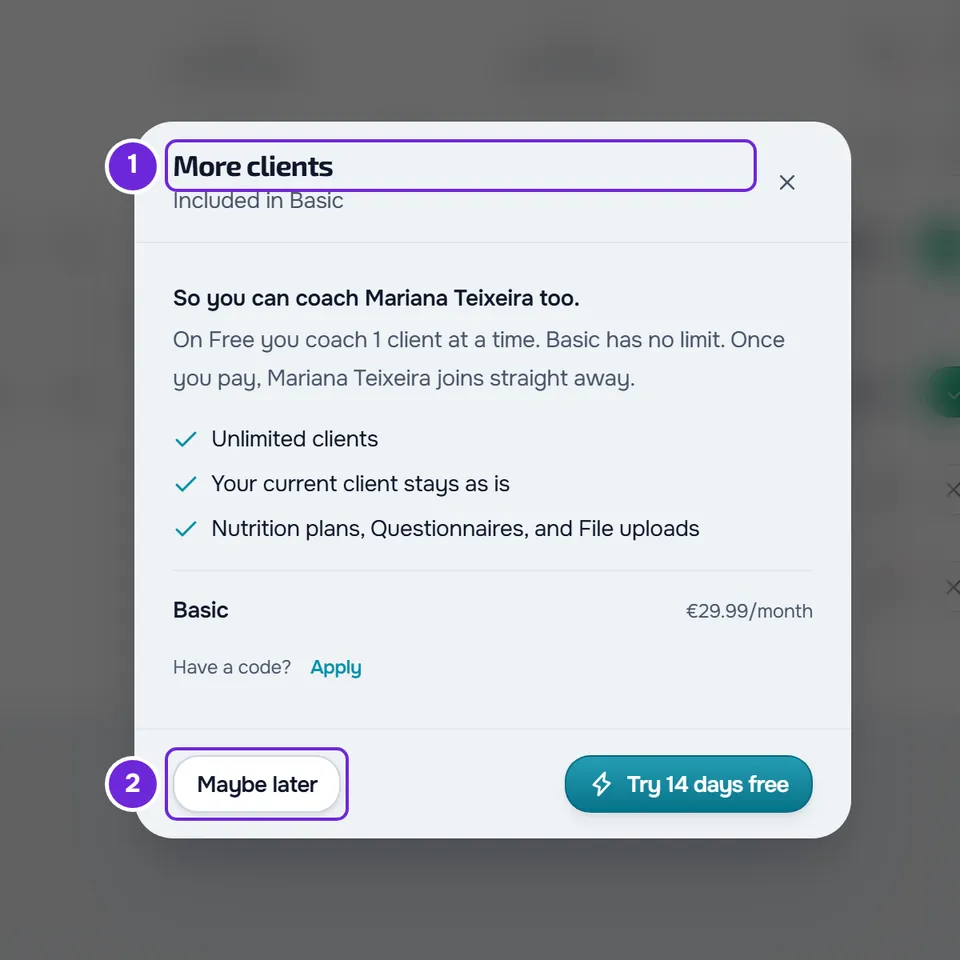
If you are the workspace owner, the More clients window opens when you create, invite by email or accept a request in Requests. It shows the cheapest plan with more slots than yours, the price per month and a button that goes straight to the payment for that plan; Maybe later closes the window. A team member doesn't see this window, because only the owner changes plans.
When someone tries to accept an invite of yours that would give them a slot right away, or to pay for a package to join, and there is no free slot, the person doesn't join or pay and sees a notice that you can't take on more clients right now. The workspace owner gets the notification “No free slot for an invite”, with the person's name.
For the other messages from these actions, see Error messages when creating, inviting and accepting clients.
Special cases
- Actions at the same time: when you and your team create, accept, import or reactivate clients on the profile at the same instant, MyFitnessClient confirms each client's slot on saving, one at a time, and refuses whatever no longer fits.
- Account closing: while your account is closing, you have no free slots. When you create or invite a client by email, accept a request, or reactivate a client or give them a new access period on their profile, you see “Your account is closing: you can no longer add, accept, reactivate or renew clients.” When you import a file, no row gets in and the reason is “your account is closing”.
- Plan with no limit: never refuses for lack of a slot, except while the account is closing.
Free up slots
- Archive the clients you no longer coach. The slot becomes free right away; if you reactivate them, they take a slot again.
- Move to a plan with more slots: see Upgrade your plan and pay for your subscription.
Limit and freeze
The limit decides whether you can add one more client and counts active clients, scheduled clients and requests from people paying to join. The freeze is something else: it happens when you have more active clients than the plan allows, for example after you move to a plan with fewer slots or your plan ends. It counts only active clients and blocks changes to clients and content until you choose who stays or upgrade your plan. With as many active clients as the limit, the workspace doesn't freeze, but you can't add any more. See You have more active clients than your plan allows.