
MyFitnessClient's 19 modules
One single platform.
Each module replaces a tool you use separately today, and your data moves between them without copying.
Build and reuse workouts in one place.
Build workouts from over 5,600 exercises, set sets, loads and times, and your clients log everything in the app, on iPhone, Android or in the browser.
- Over 5,600 exercises, many with video, and room for your own
- Set types, rep ranges, supersets and AMRAP or For Time circuits
- Flexible, sequential, weekly or calendar programmes, for one client or many
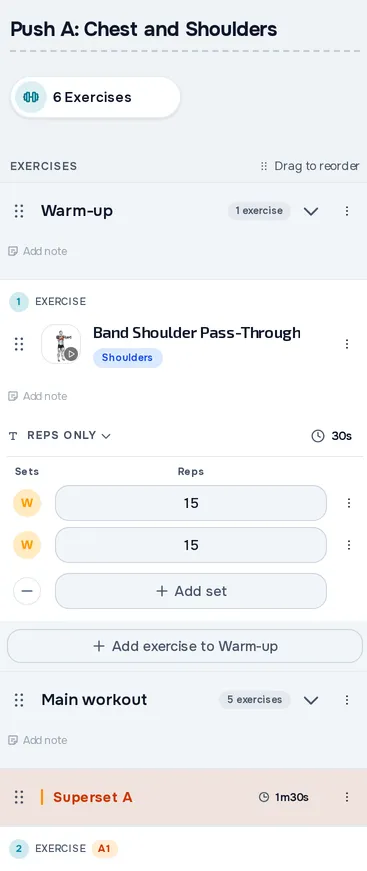
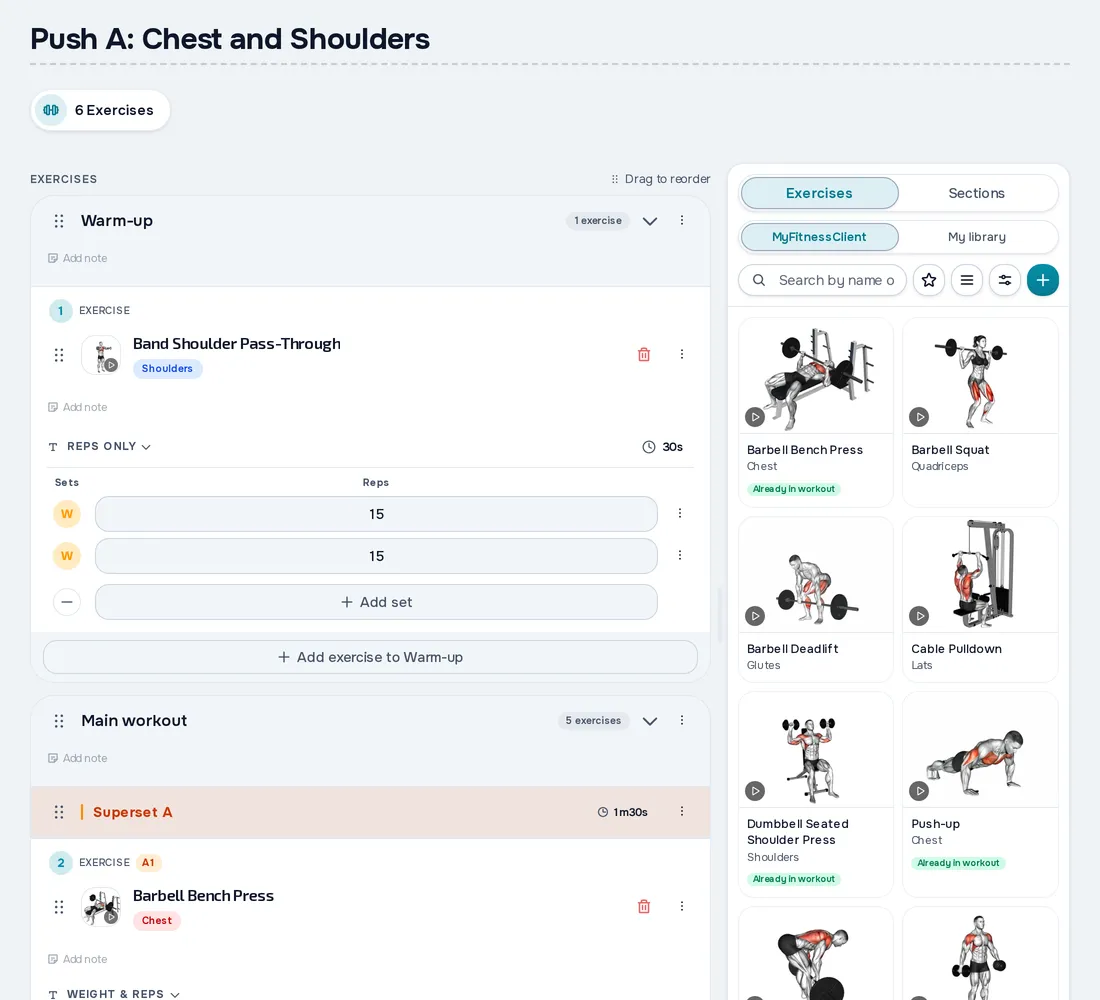
Fig. 01 - Workouts on mobileFig. 01 - Workouts on desktop
Meal plans your clients can actually follow.
Meal plans with over 1,000 foods in the catalogue and nutrition calculations by quantity.
- Over 1,000 foods, online search and barcode scanning
- Flexible, weekly or calendar plans, for one client or many
- Plan and shopping list as PDF, or as text in the phone app
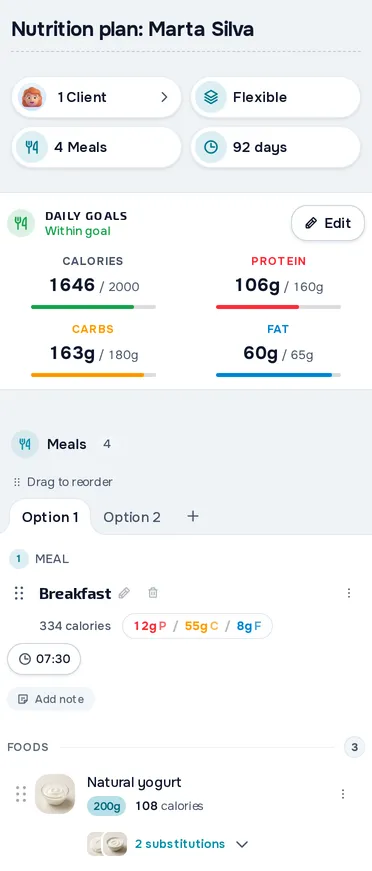
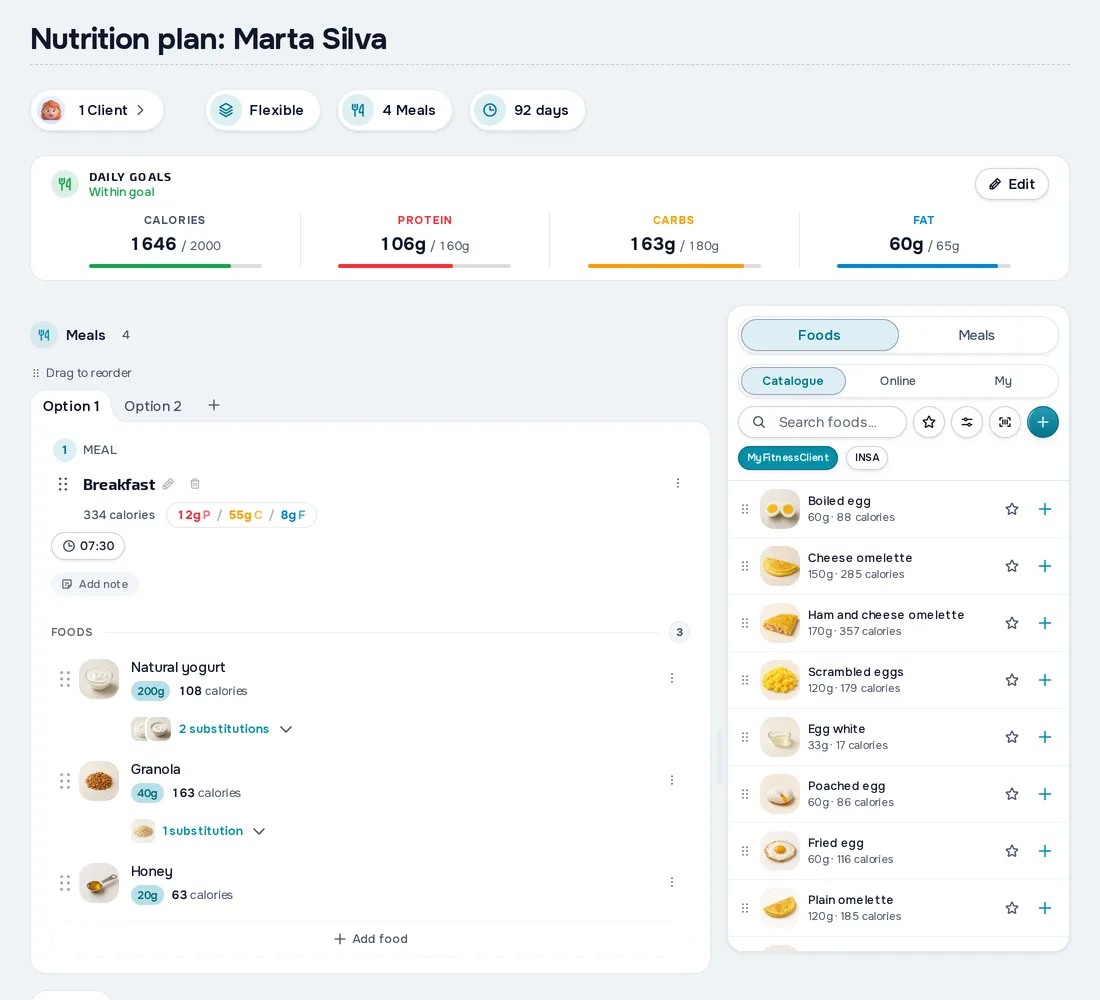
Fig. 02 - Nutrition on mobileFig. 02 - Nutrition on desktop
Every client in a single profile. Everything you need in one place.
Profiles, intake forms, physical assessments and the full history of every client in one place.
- Email, link and QR invitations, plus CSV list import
- Intake form with PAR-Q and your own sections, filled in the client app, on iPhone, Android or in the browser
- Tags, filters and bulk actions to manage many clients
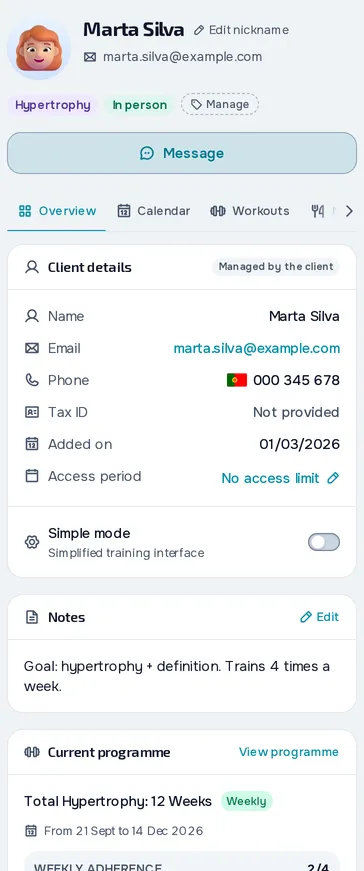
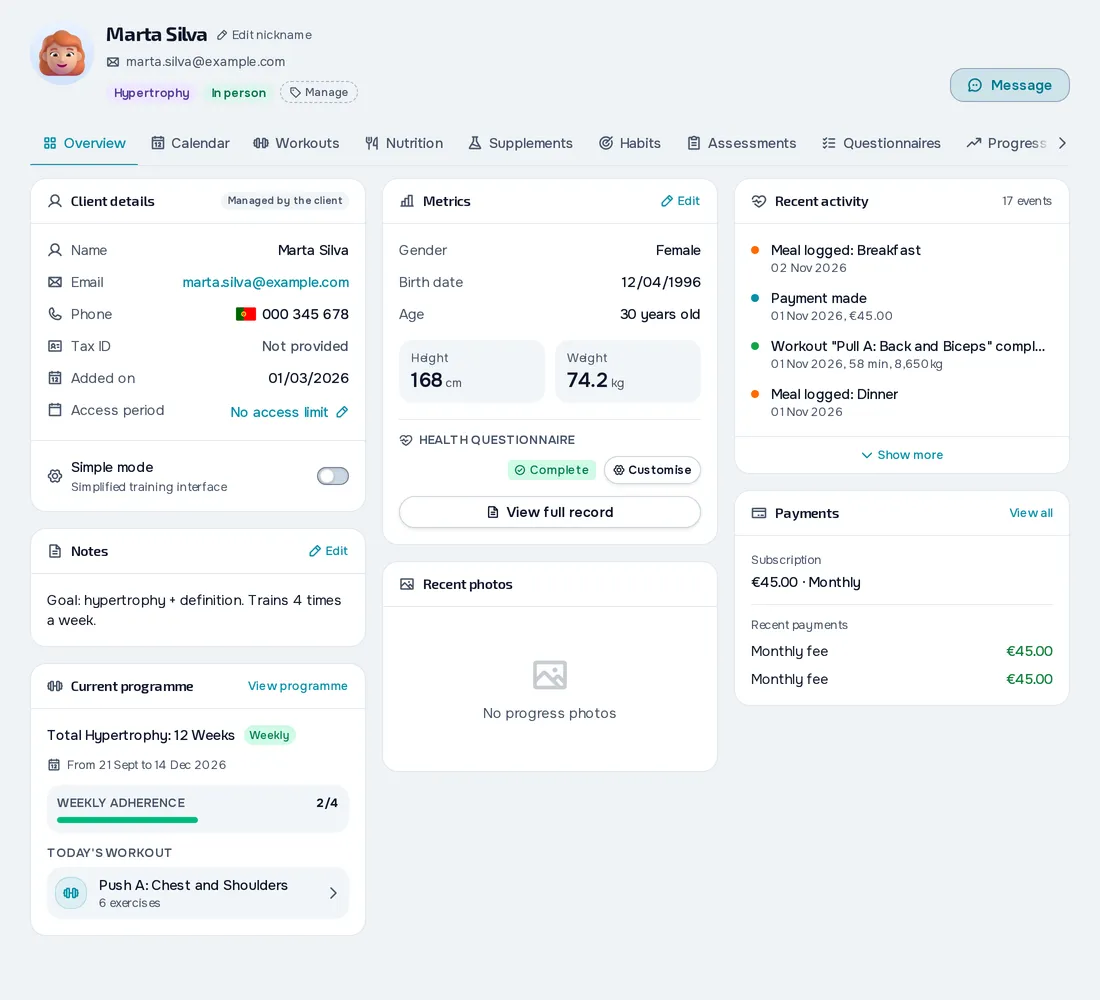
Fig. 03 - Clients on mobileFig. 03 - Clients on desktop
All your appointments in one calendar.
Manage sessions and events in your calendar: your client sees their bookings and is notified, you set reminders for yourself, and you can send events to Google Calendar.
- Colour-coded event types, including your own
- Daily, weekly, monthly or yearly repeats
- Push or email reminders for you, and events sent to Google Calendar
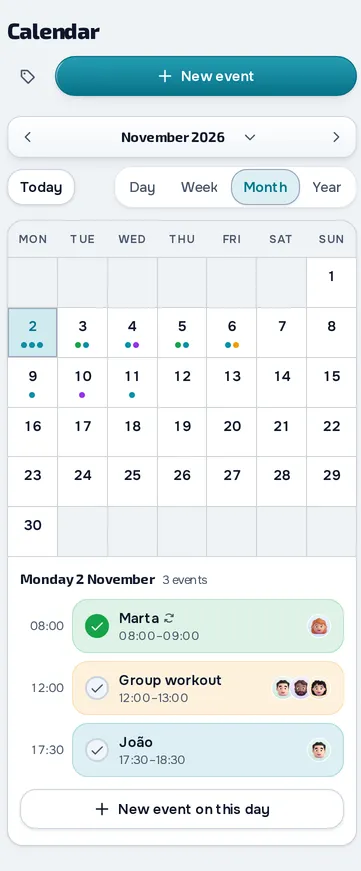
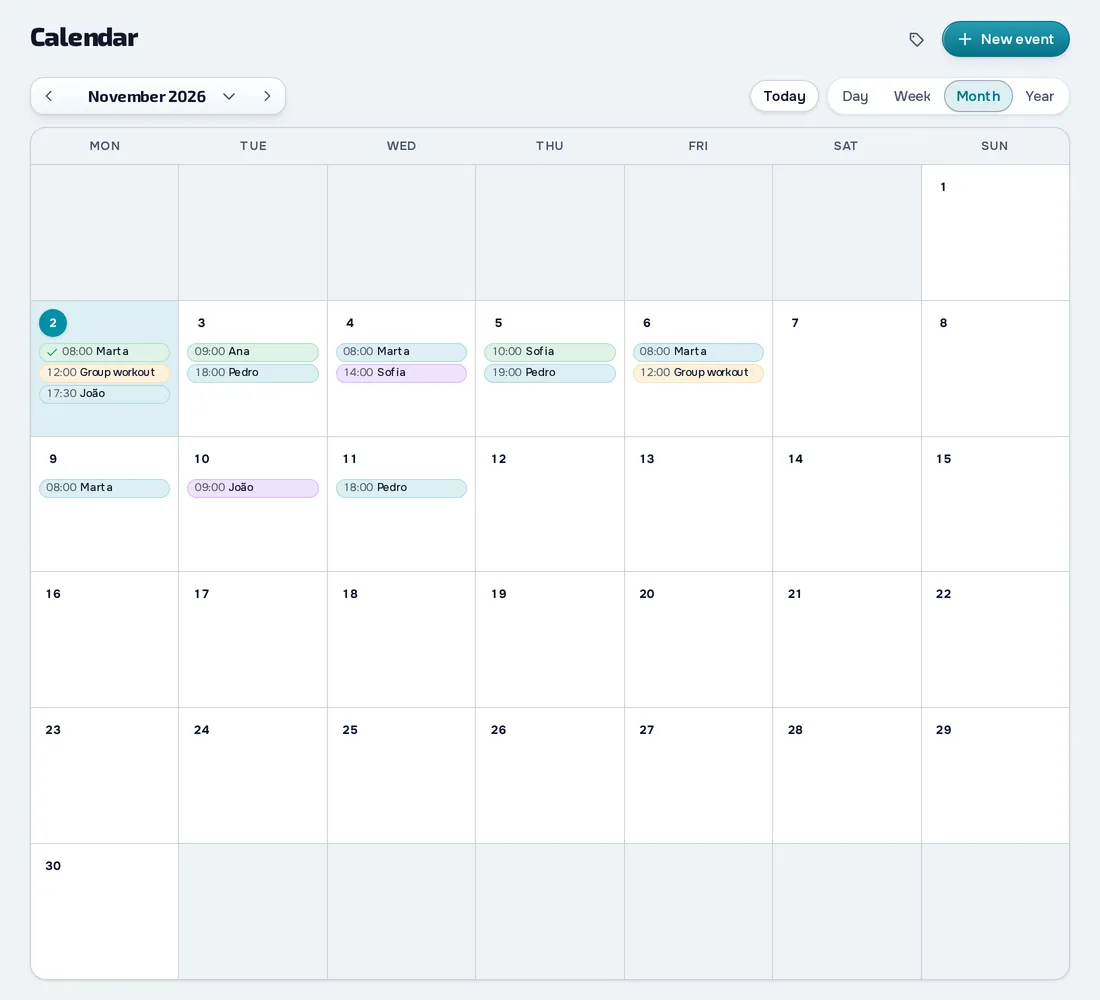
Fig. 04 - Schedule on mobileFig. 04 - Schedule on desktop
Physical assessments that show what changed.
Measurements, skinfolds, bioimpedance and fitness tests, plus photos and videos from Basic up, with BMI, estimated body fat and assessment comparisons.
- Body fat estimated with Jackson-Pollock 7 or 3 skinfolds, or US Navy
- Re-assess and Overdue badges, and the next assessment on your calendar
- Export any assessment to PDF or save it to the client's materials, on Basic and Pro
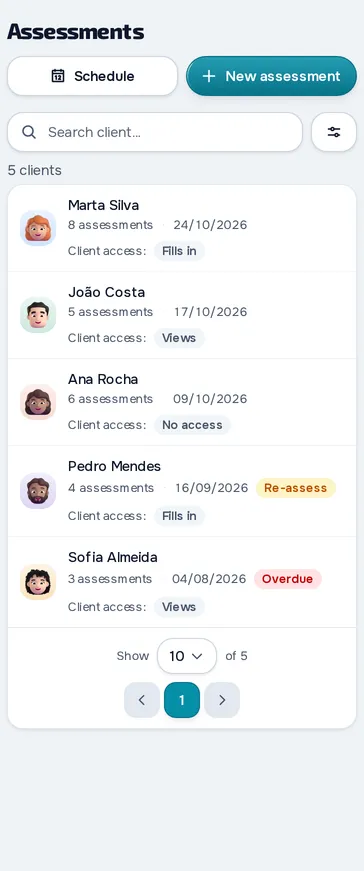
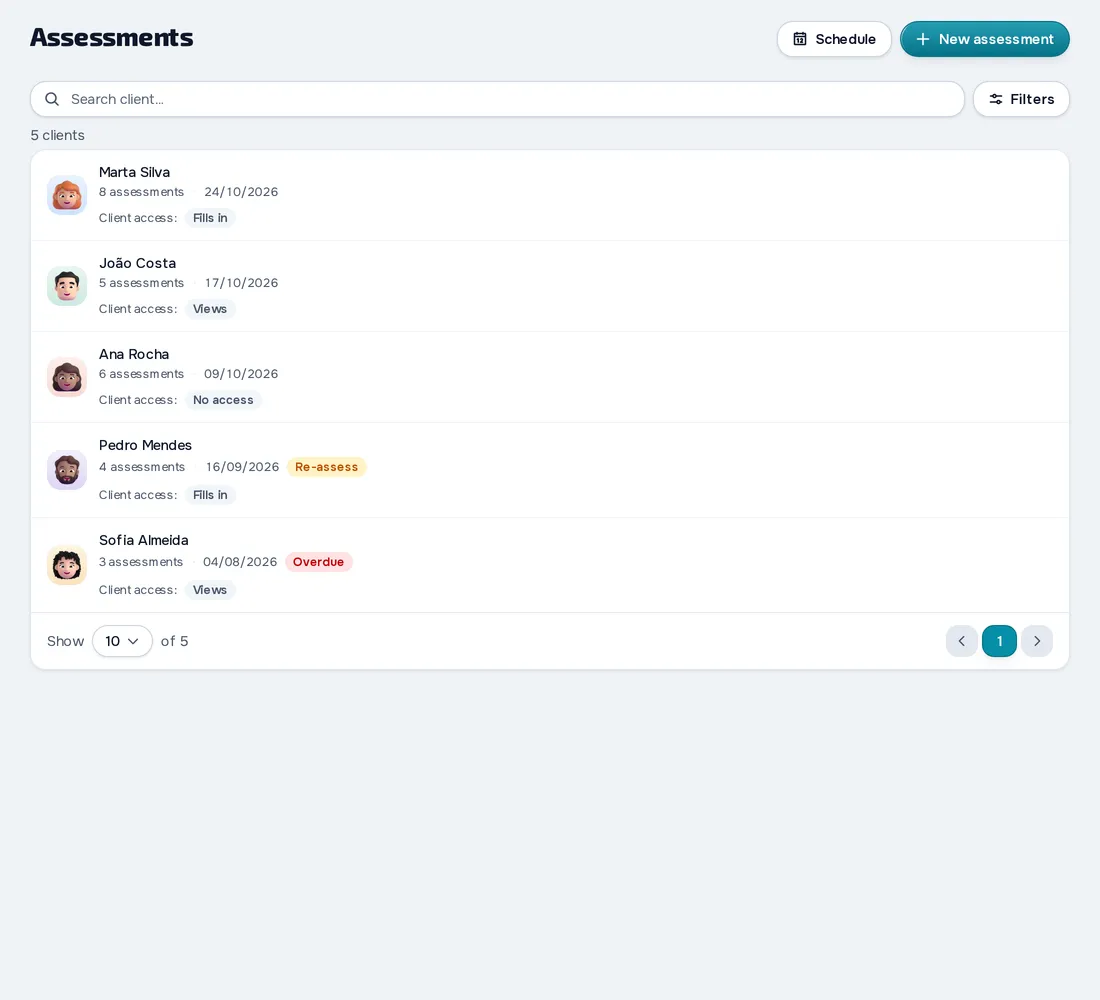
Fig. 05 - Assessments on mobileFig. 05 - Assessments on desktop
Each client's progress, one check-in at a time.
Measurements and charts that show each client's recorded progress, plus side-by-side progress photos from Basic up.
- A check-in built your way: weight, photos, measurements and questions
- Reminders at your client's local time, as often as you choose on Basic and Pro
- Photos by pose, side by side or with a slider
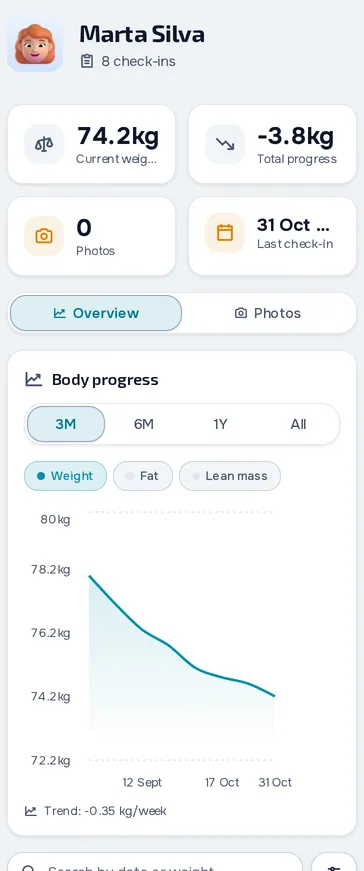
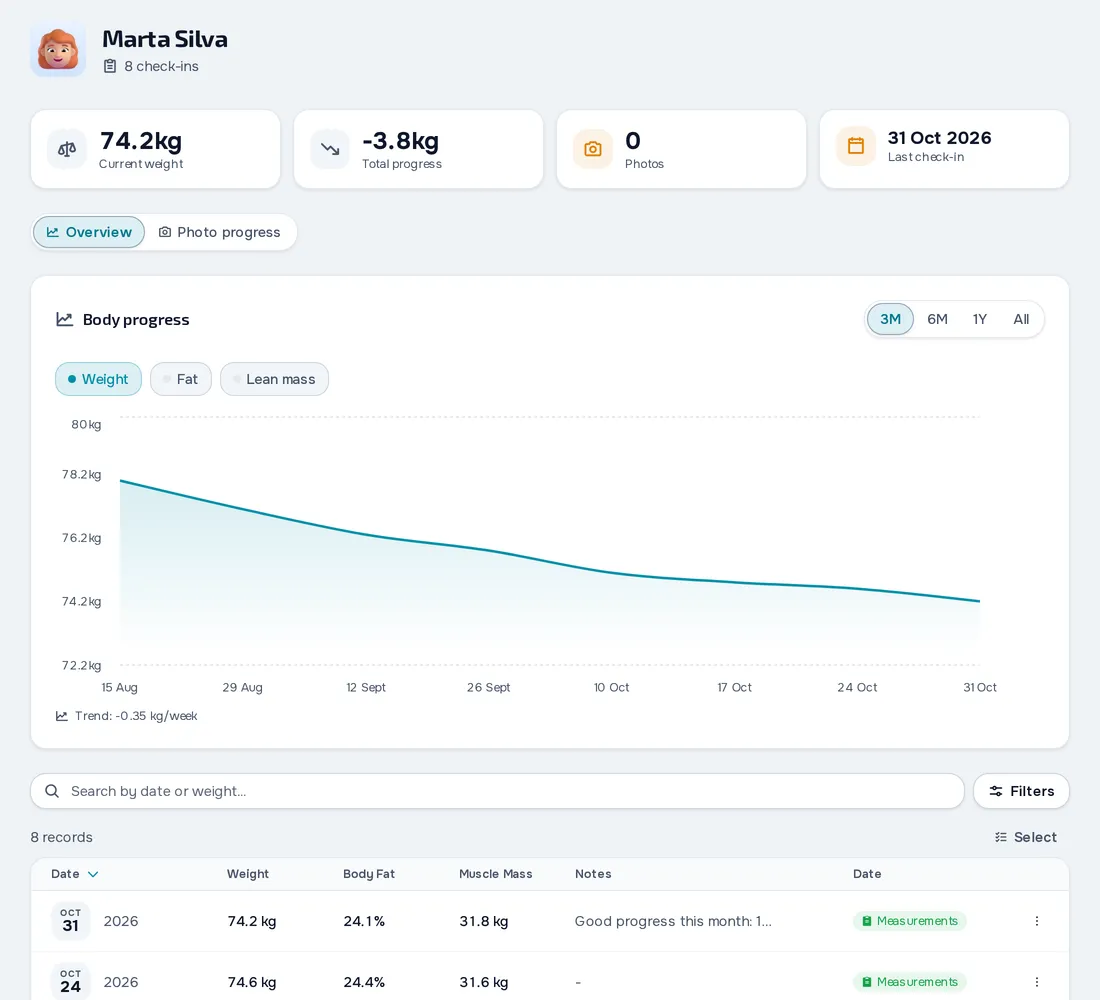
Fig. 06 - Progress on mobileFig. 06 - Progress on desktop
Talk to your clients without leaving the platform.
Chat with your clients, voice messages on Basic and Pro, voice and video calls in the browser and push notifications.
- Text with reactions and replies, plus audio, photos and files on Basic and Pro
- Voice and video calls in the browser, one-to-one or in groups of up to 6 people
- Scheduled and recurring messages, for one client or all of them
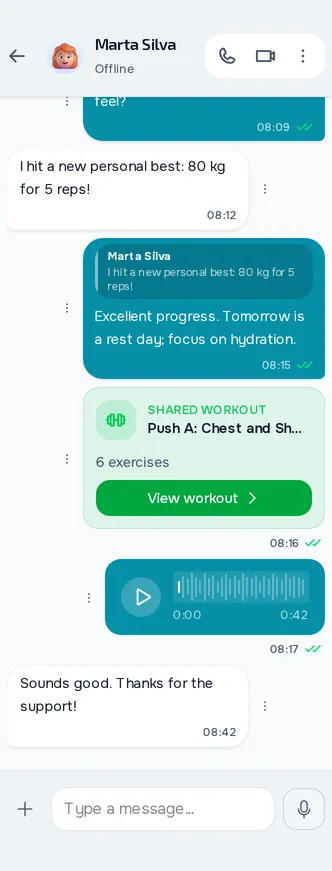
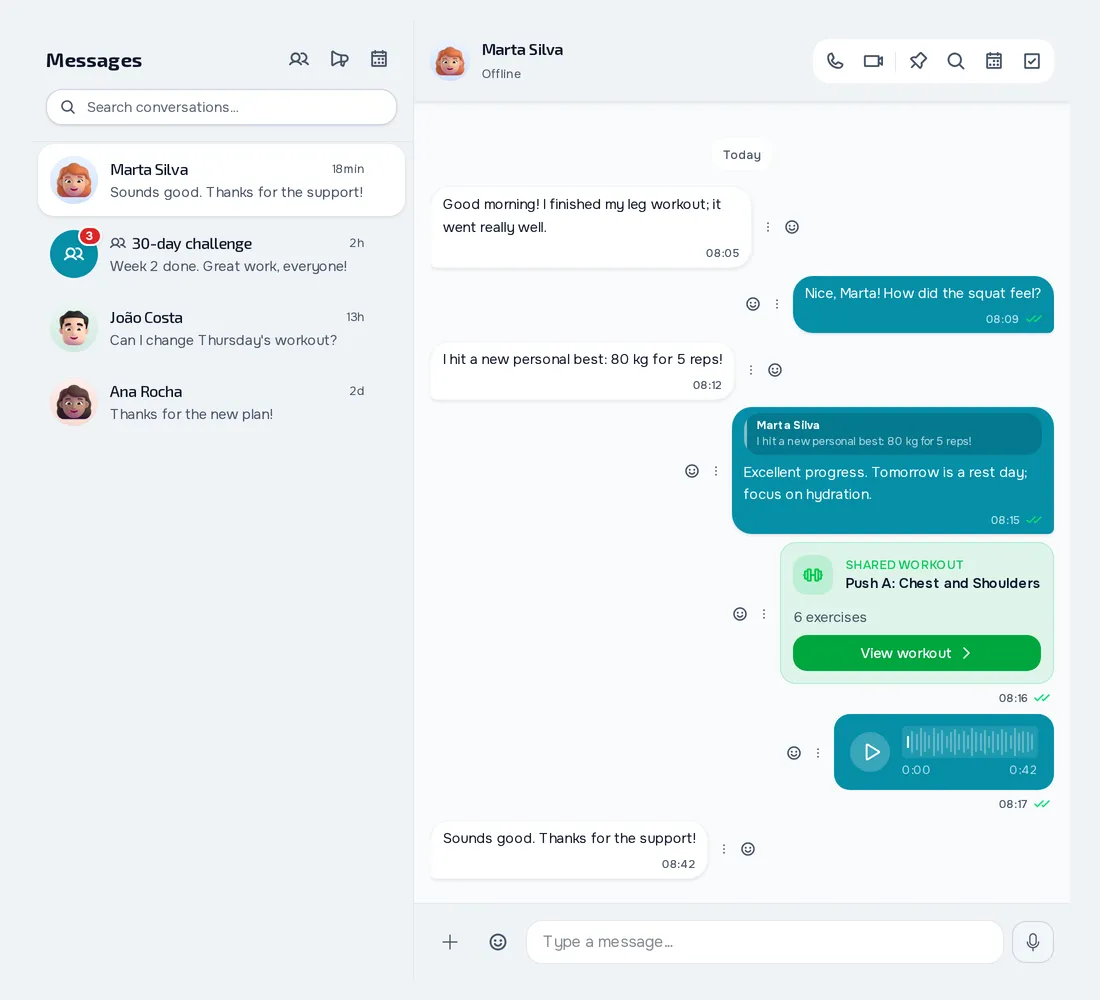
Fig. 07 - Communication on mobileFig. 07 - Communication on desktop
Habits your client keeps and you follow.
Habits with a goal, frequency and reminder that your client logs in the app and you follow in a monthly calendar.
- Daily, specific days, X per week or a weekly total
- Reminders at the time you choose, which don't go out if the habit is already done
- Monthly completion and current streak in your client's history
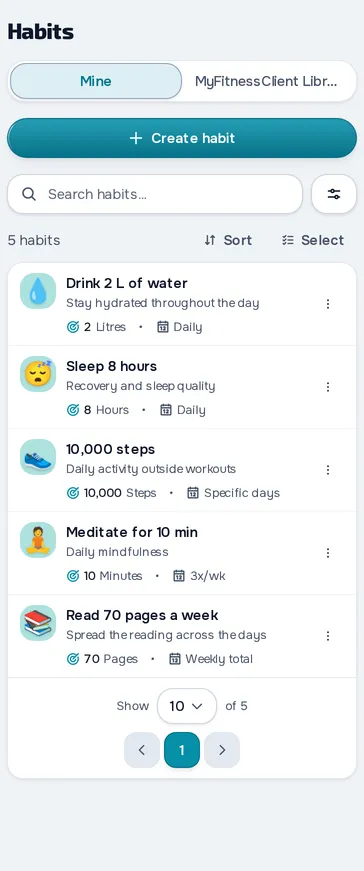
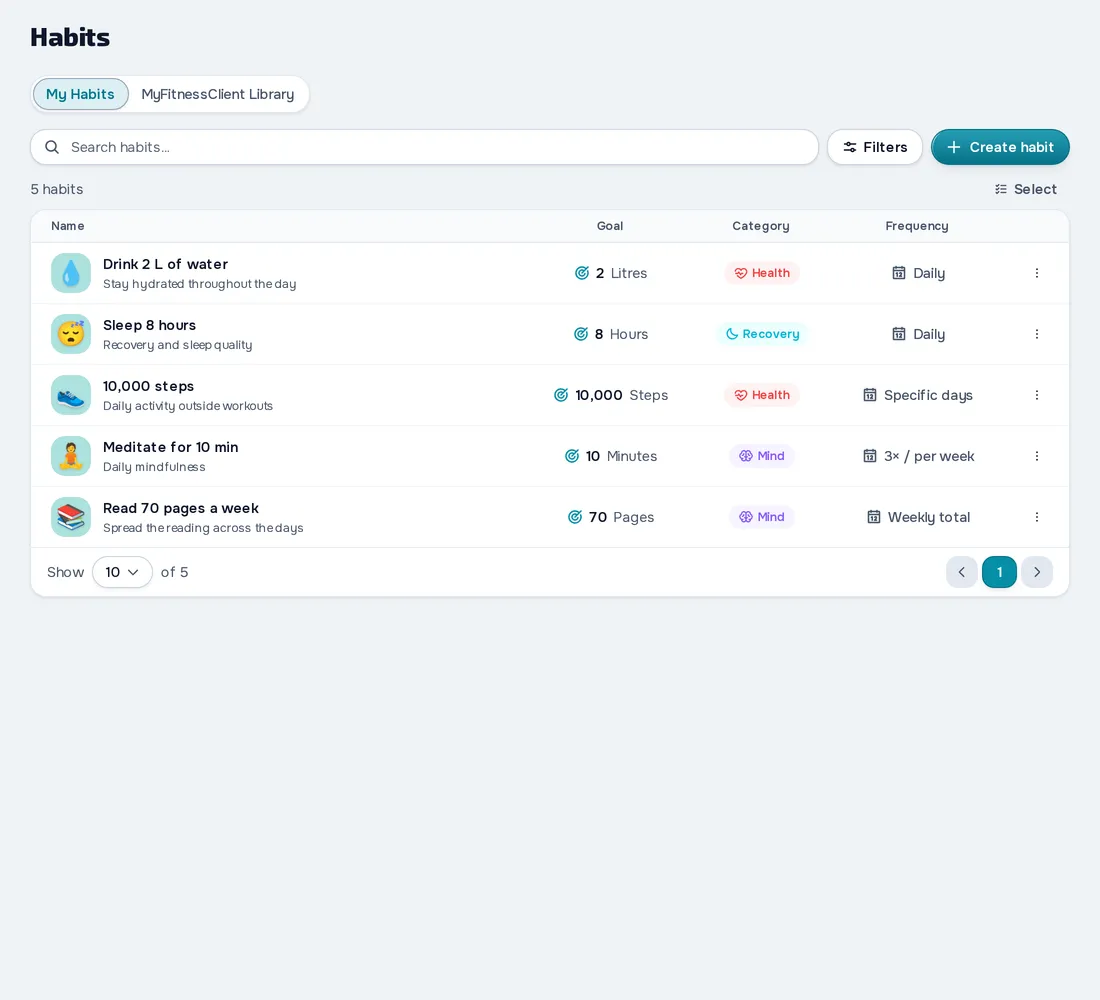
Fig. 08 - Habits on mobileFig. 08 - Habits on desktop
See who has paid and who's overdue.
Log one-off charges, give plans that charge on their own, see what's overdue and, on Basic and Pro, get paid online through Stripe.
- Monthly fees and packs in your catalogue, or a custom plan for each client
- Net revenue and overdue amounts at a glance, with CSV export
- If your client doesn't pay, you choose: Stays the same, Read-only or No access
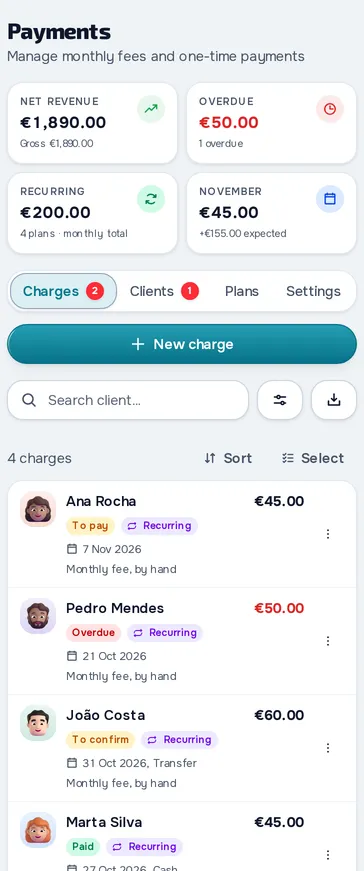
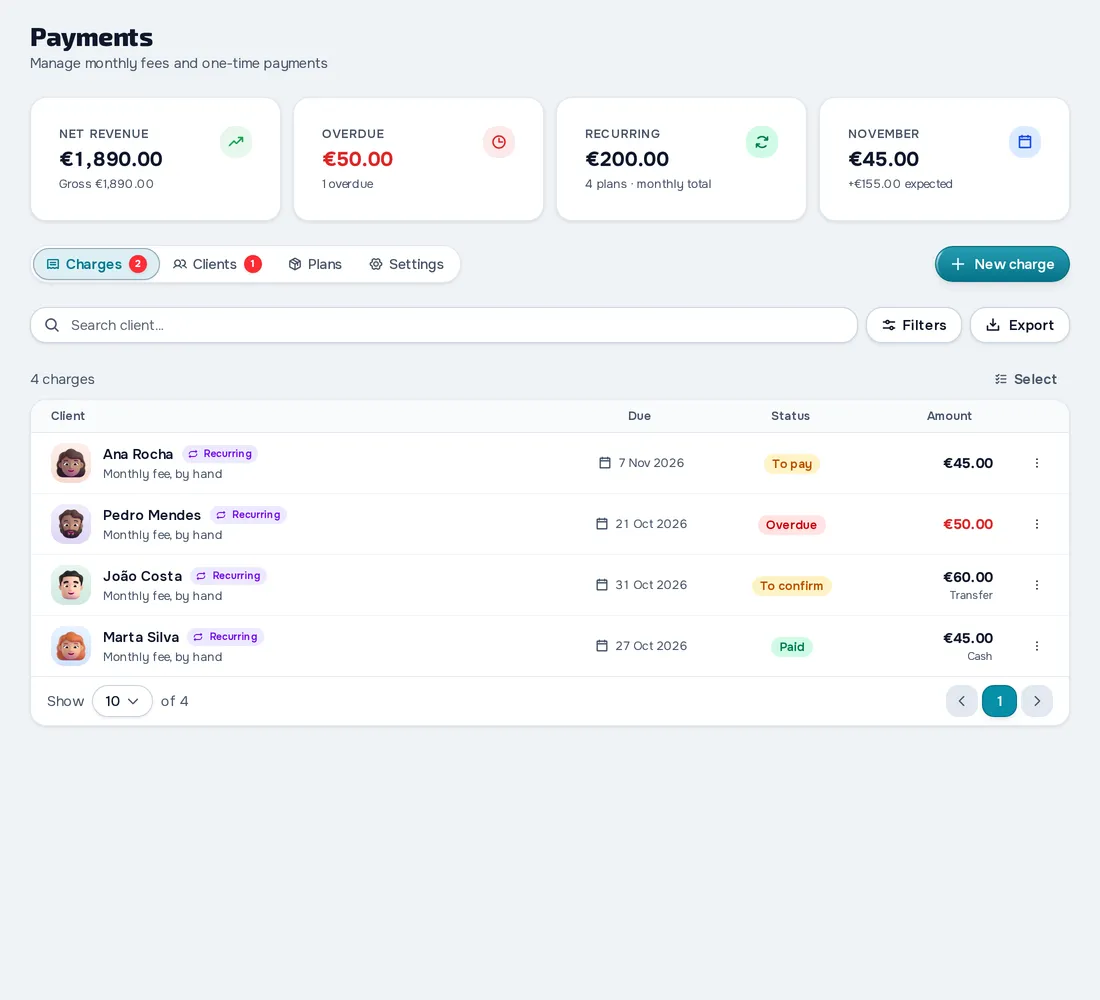
Fig. 09 - Payments on mobileFig. 09 - Payments on desktop
Professionals working with you, each with the access you choose.
Add other professionals to your account, delegate tasks, and manage each member's access to clients.
- Read only, Assistant, Full access or permissions by area
- Access to all your clients or only the ones you choose
- Tasks with assignees, due date and reminder, plus an activity log
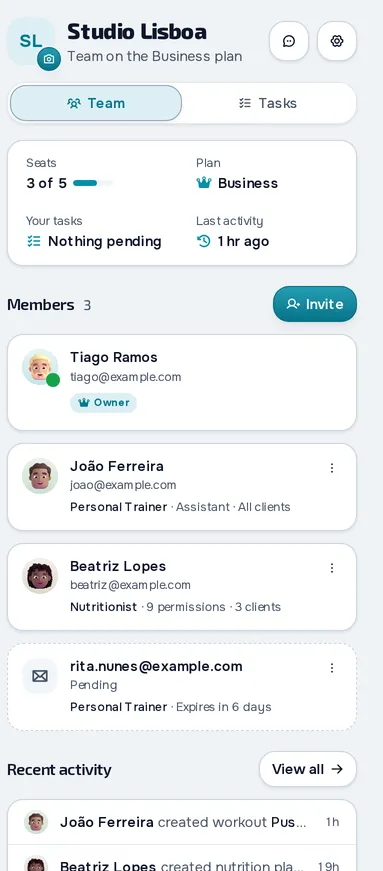
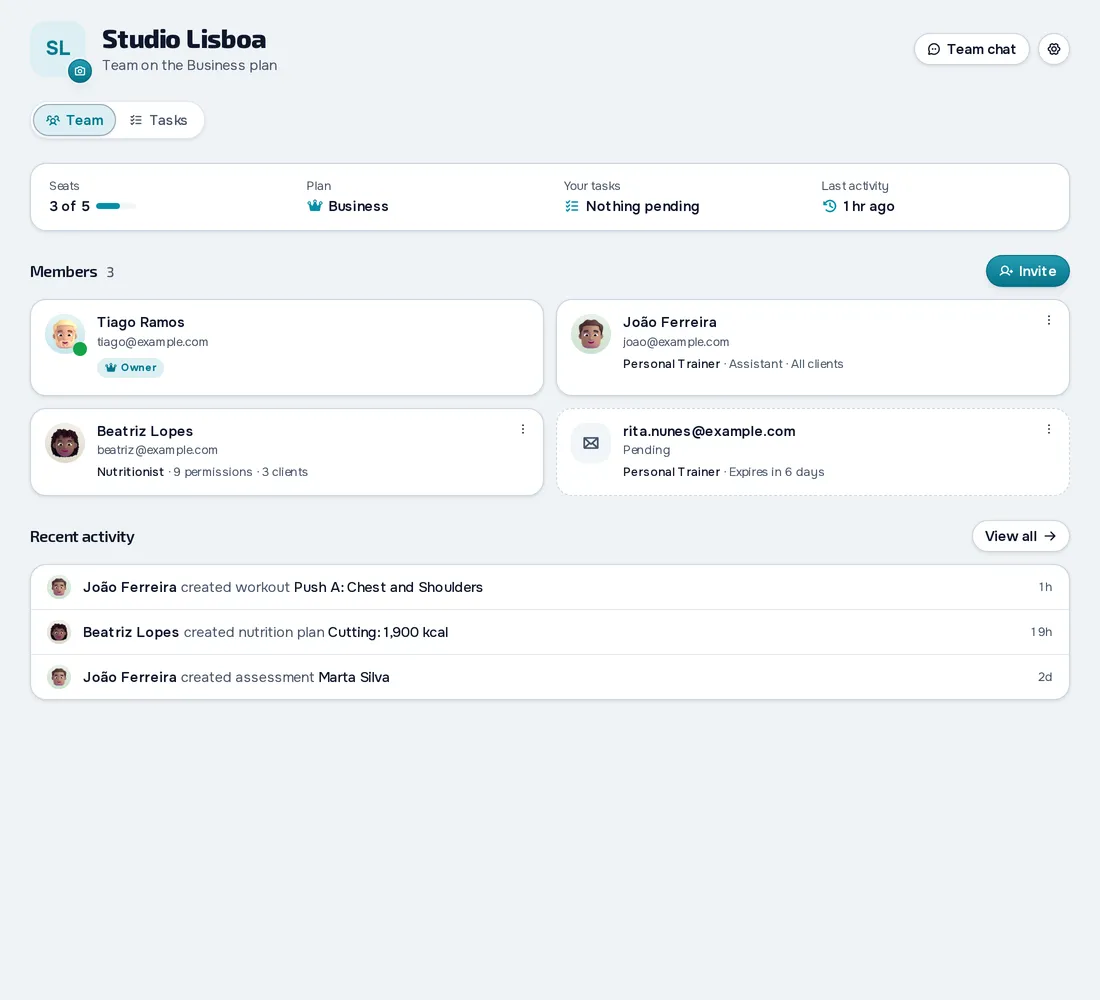
Fig. 10 - Team on mobileFig. 10 - Team on desktop
Questionnaires you build, send and review in one place.
Build questionnaires from scratch with 13 question types, and the answers land on your client's record.
- 13 question types, photos included, plus conditional questions
- Send to chosen clients, automatically or by public link
- Responses to review, a note for your client and CSV export
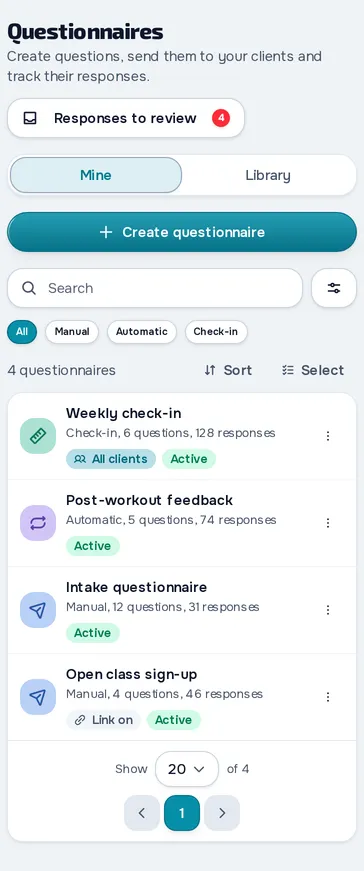
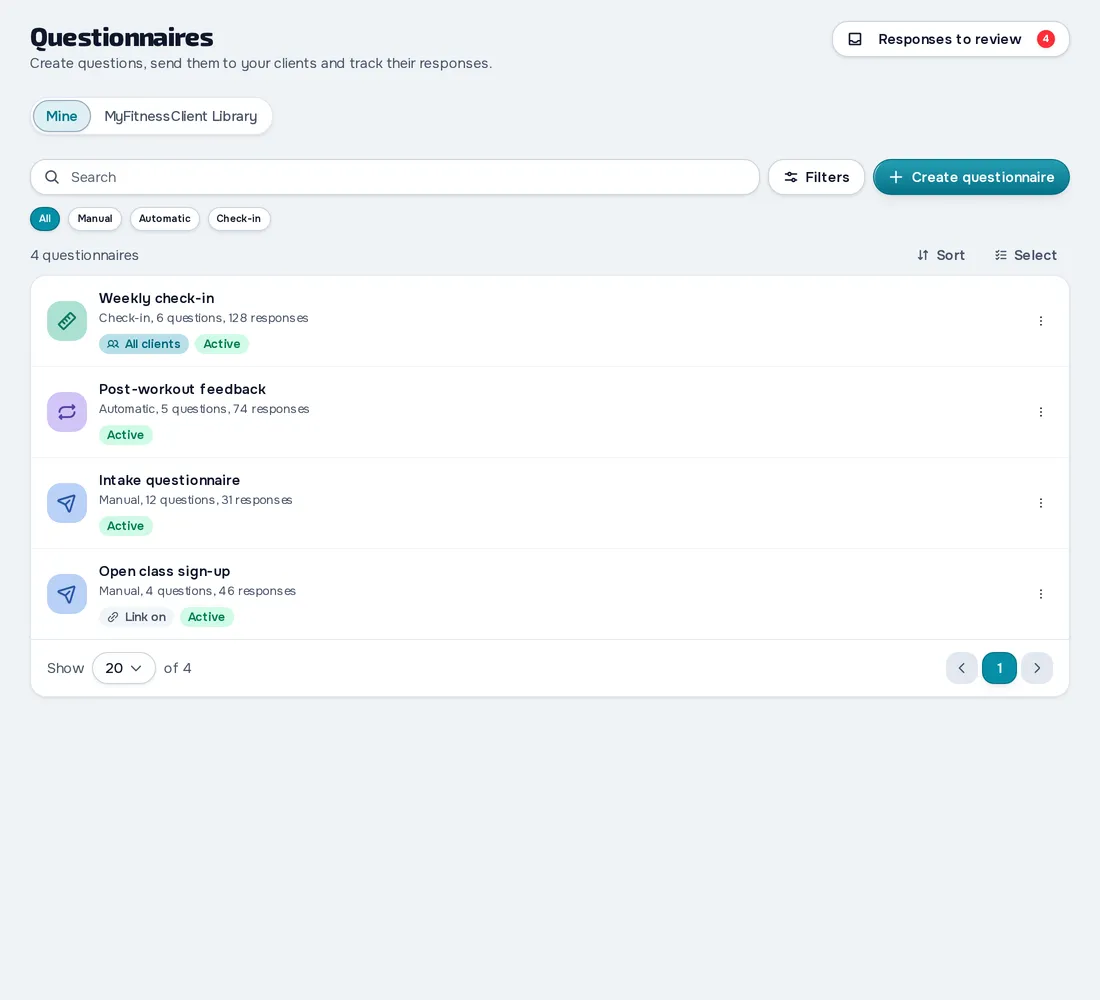
Fig. 11 - Questionnaires on mobileFig. 11 - Questionnaires on desktop
Each supplement at its moment of the day.
Supplement plans with amounts and times of day, and your client ticks off each dose in the app.
- A library of 80 supplements, with room for your own
- Amount per dose, training and rest days, and periods
- Your client's day by moment, with reminders
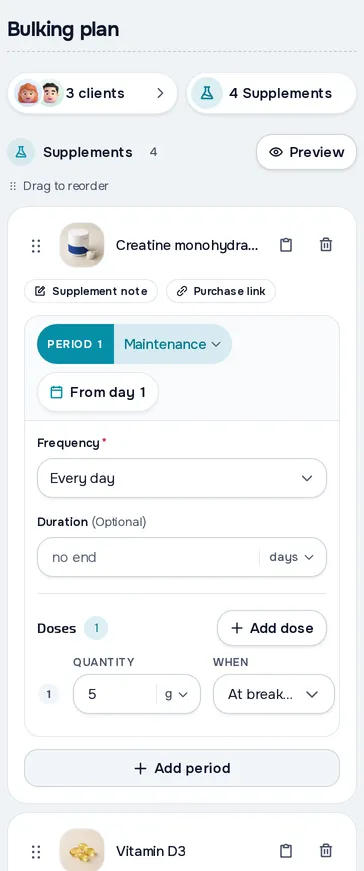
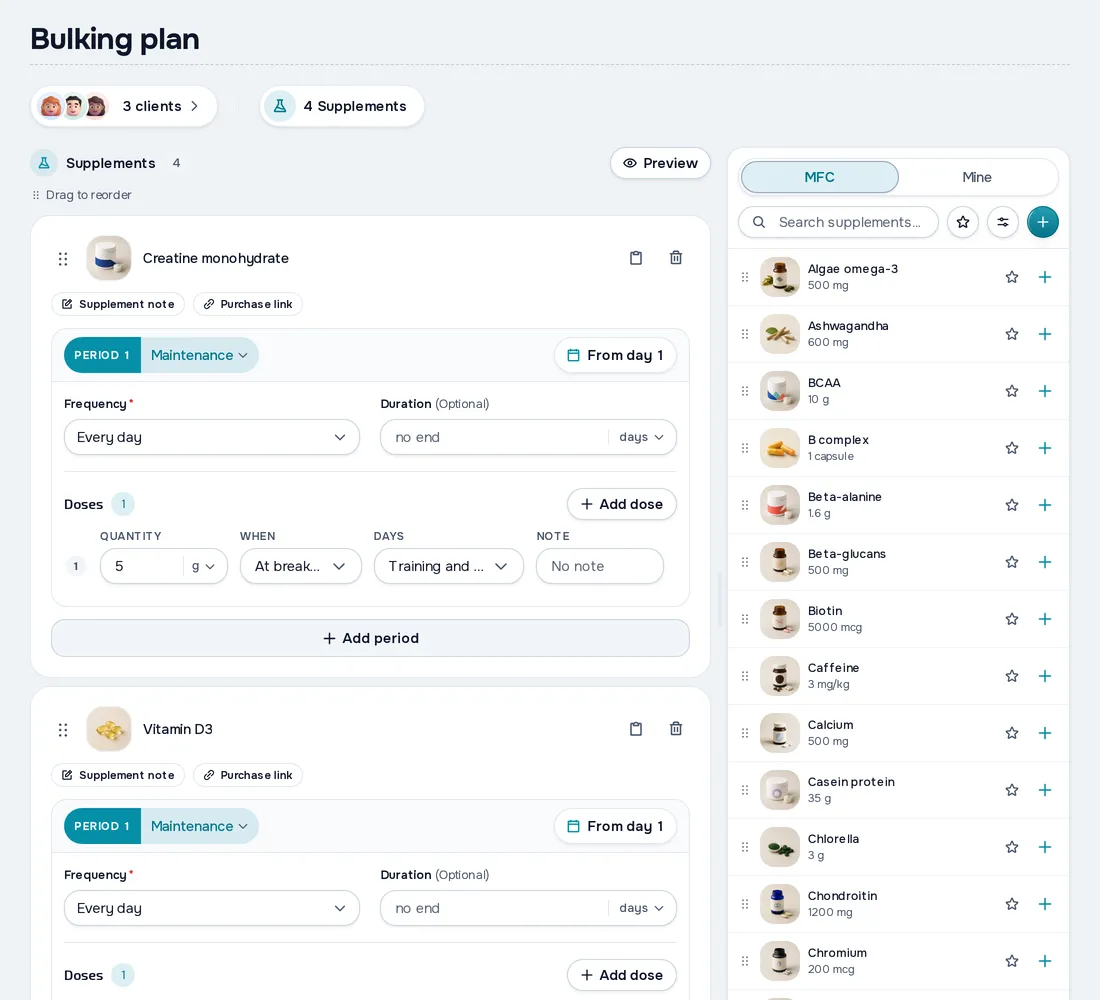
Fig. 12 - Supplements on mobileFig. 12 - Supplements on desktop
Your clients' app, on whatever phone they have.
Your clients' free app, on the App Store, Google Play and in the browser, with the day's workout, nutrition, check-in and chat.
- On the App Store, Google Play and in the browser, free for your client
- Today on Home: workouts, intakes and habits to tick off
- Workouts, meals, habits and supplements offline, in the apps
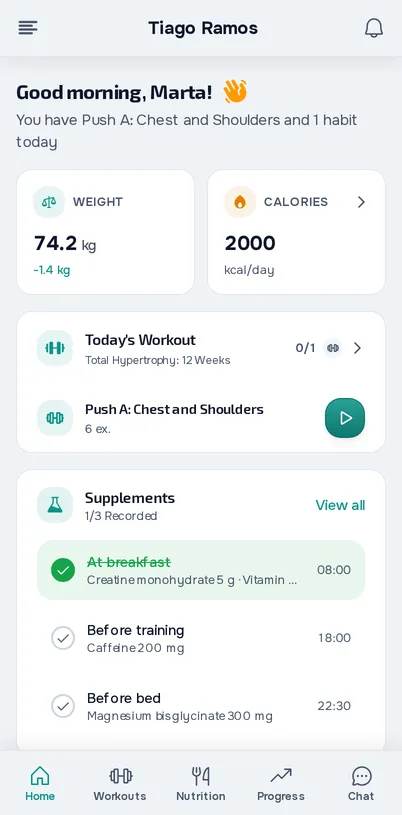
Fig. 13 - Client app on mobile
Your clients see your brand.
Your name, logo and colours in your clients' app, on every plan, including Free.
- Name, logo and main colour, on every plan
- Light and dark theme, and a background image or colour
- Your brand on the invitation, sign-up and emails to your client
A page of your own, where people find you.
For professionals based in Portugal, your page at myfitnessclient.com/@name and a spot in the directory where people looking for a professional find you.
- Your own page at myfitnessclient.com/@yourname
- Directory by profession, speciality, district and town
- Requests and messages, even from people without an account
Courses you create, give and sell to your clients.
Courses in sections and lessons, with video, text and your workouts, that you give or sell to your clients.
- Lessons with video, text, audio, files, checklists and workouts
- One-time payment or subscription, through your Stripe account
- Completion rate and clients at risk of dropping out
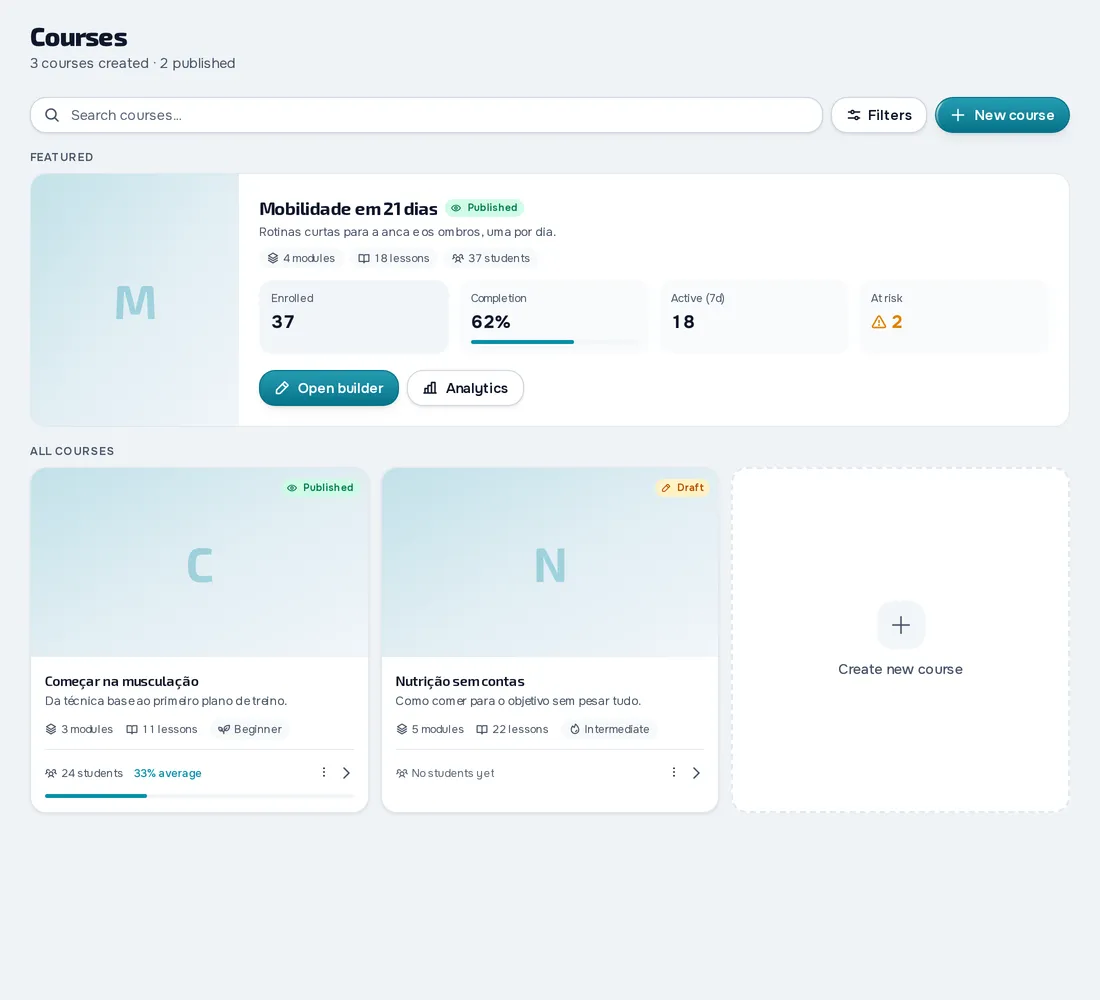
Fig. 16 - Courses on desktop
Your materials in one place, shared with whoever you choose.
Folders, files and pages written in the platform, shared with the clients you choose.
- Folders with a colour, icon and cover, and pages you write
- Share with chosen clients or everyone with a tag
- 10 GB on Basic and 250 GB on Pro
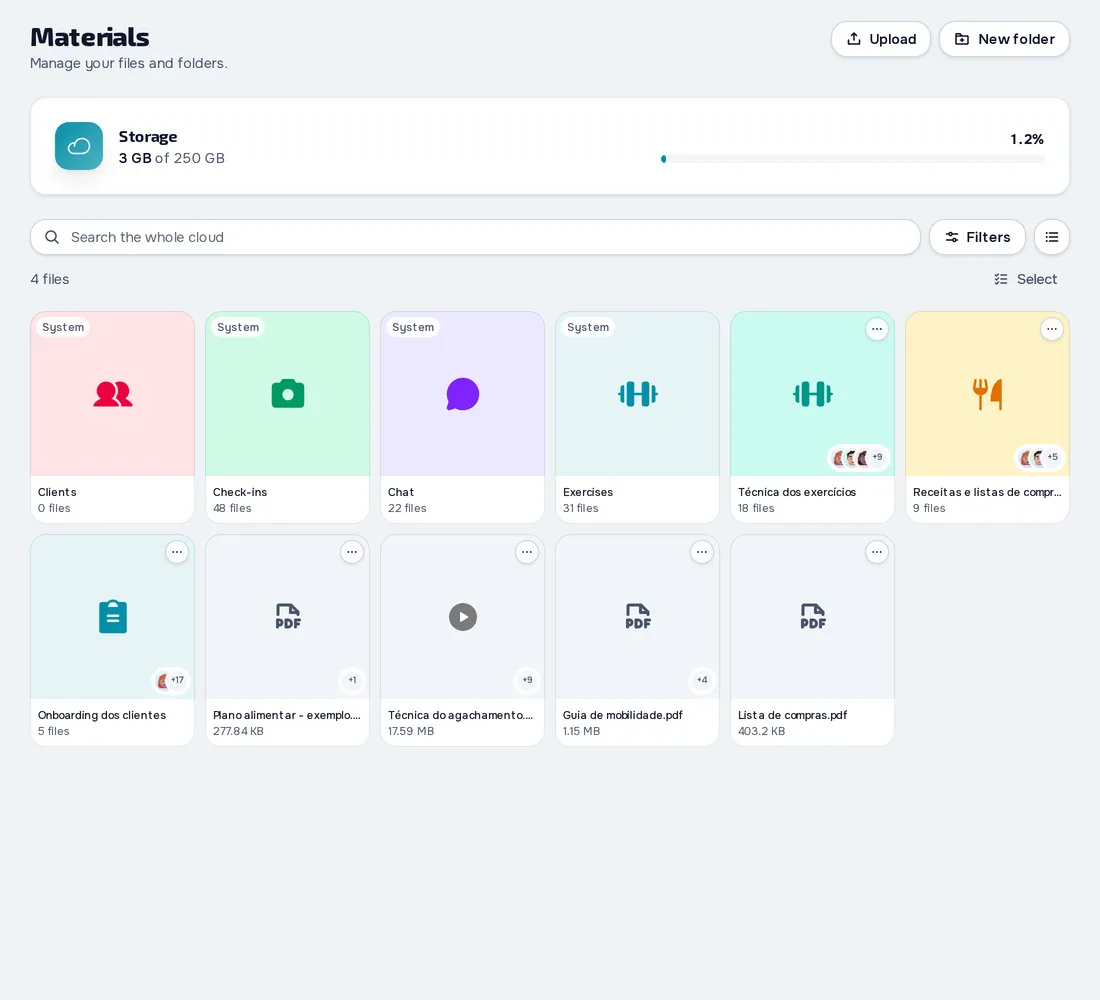
Fig. 17 - Materials on desktop
The platform is for you too.
Use the platform for yourself: your workouts, nutrition, check-ins and habits, separate from your clients.
- Train with the same workout screen you give your clients
- Log your meals, with reminders and history
- Your own check-ins, assessments and habits, with charts and photos
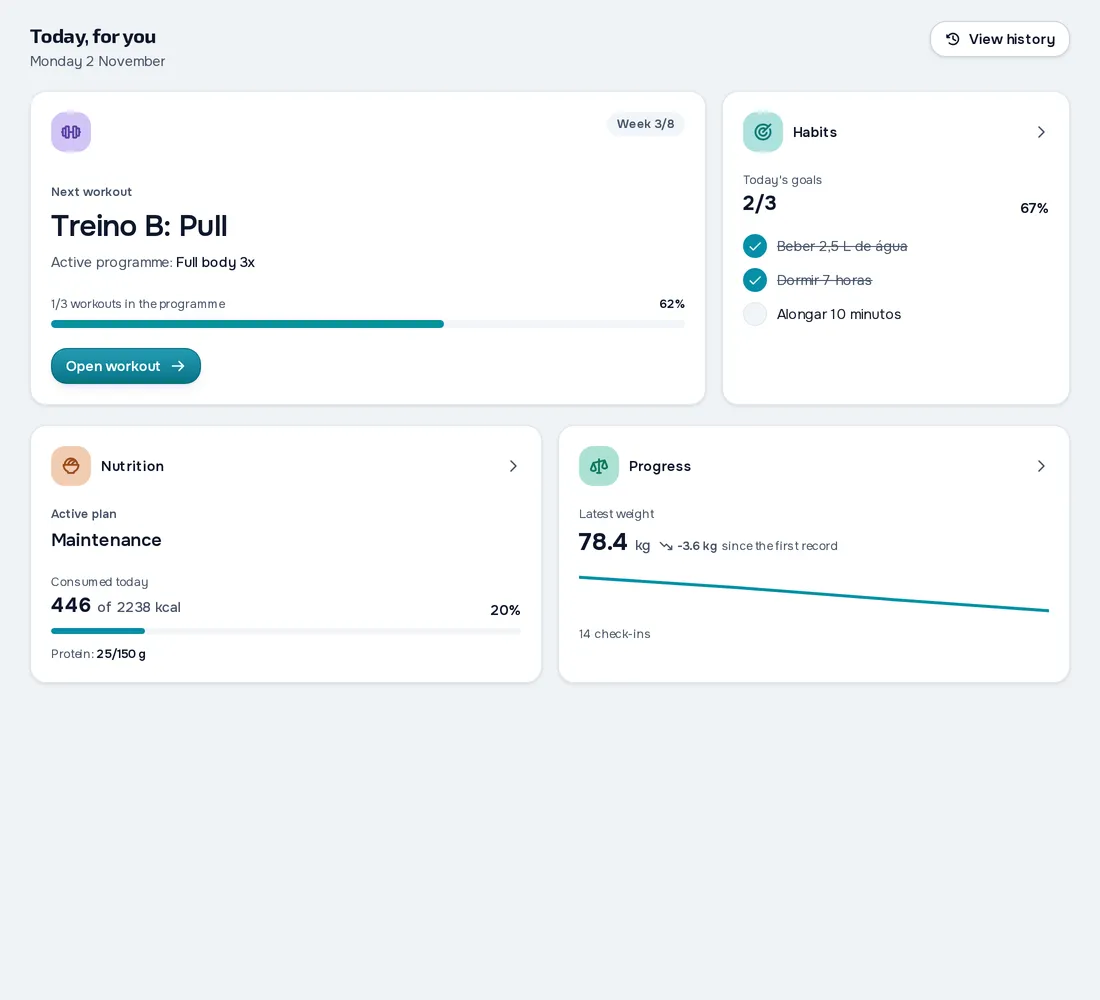
Fig. 18 - Personal area on desktop
Explore every module and start free.
No lock-in, cancel any time.