
Talk to your clients without leaving the platform.
Chat with each client one-to-one or in a group and share workouts and assessments. Your client replies in the app and gets a notification when they're not using it. Voice and video calls happen in the browser. In the iPhone and Android apps, your client gets a missed call notice.
- Text with reactions and replies, plus audio, photos and files on Basic and Pro
- Voice and video calls in the browser, one-to-one or in groups of up to 6 people
- Scheduled and recurring messages, for one client or all of them
Cancel any time
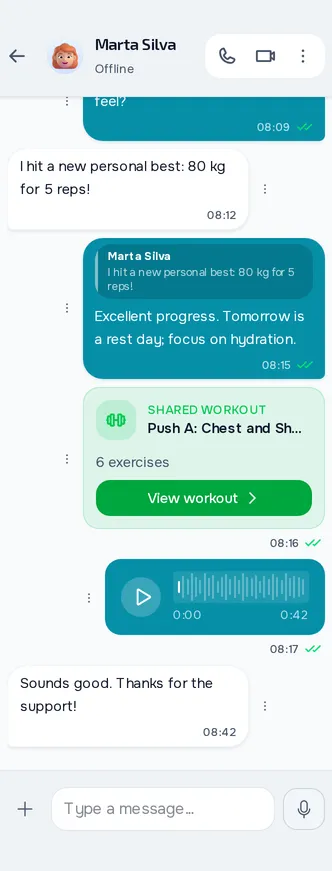
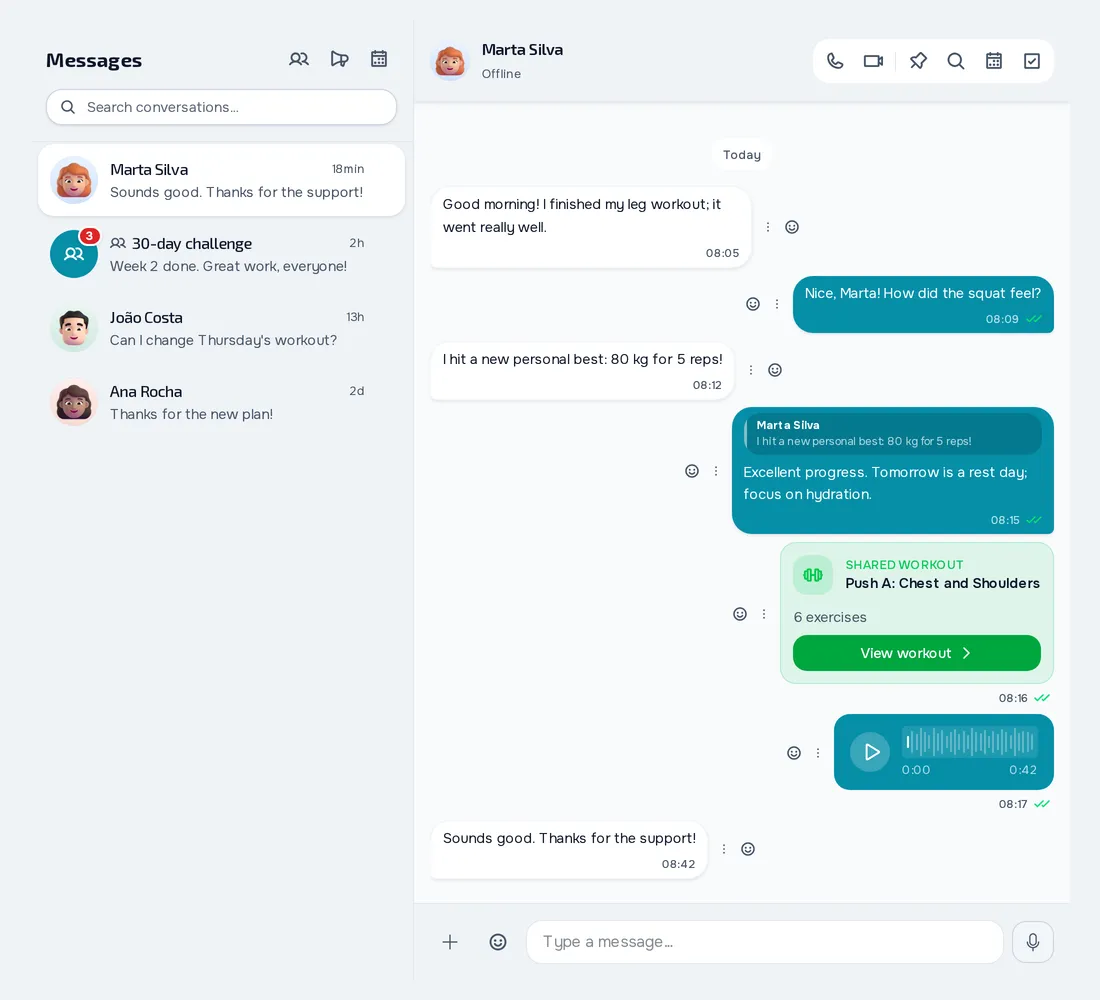
On your computer and on your phone.
Fig. 01 - Communication on the computer
Fig. 02 - Communication on the phone
More than text
Send a workout or an assessment as a card your client opens in the app. Pin messages, search the conversation and see when your client has read it.
Messages that go out on their own
Schedule a message for a date and time, once or on repeat. In recurring ones sent to All clients, new clients get them too. For an instant notice, use Broadcast Message.
Groups and rules for each client
Create groups for classes or challenges and, if you want, let only admins send. For each client, choose Unlimited, Daily limit or Professional only.
Everything you can do in Communication
29 features to talk to your clients, one to one or in groups, in the web dashboard and in the client app.
Conversations and messages
Real-time one-to-one chat
You and your client exchange messages in a conversation of your own, in real time, and see when the other is typing and whether they're online.
Read receipts
The messages you send show a double tick, which changes colour when the other person has read them.
Voice messagesPlan: Basic and Pro
Record and send voice messages, your client can reply by voice too, and you both listen to them inside the chat.
Photos, videos and filesPlan: Basic and Pro
Send photos, videos and documents of up to 2 GB each, and the person receiving them sees them without leaving the chat.
GIFs, reactions and replies
Search and send GIFs, react to a message with an emoji and reply to a specific message, which shows quoted above yours.
Link previews
A link pasted into a message shows as a card, with the page's title and image.
Workout, assessment or material as a card
Share a workout, an assessment or a file as a card, and your client taps it to open it in the app.
Organising conversations
Edit, delete, forward and copy
Fix messages, delete yours for everyone, forward them to another conversation and copy the text.
Search conversations
Search conversations by name and, inside one, search the text and filter by type of content.
Pinned messages and drafts
Pin messages in a conversation and open the list of pinned ones.
Pin and clear conversations
Pin a conversation to the top of the list.
Chat after coaching ends
When coaching ends or hasn't started yet, the conversation stays open, but your client can't send files.
Groups and sending to many
Groups
Create groups with a name and photo, with clients and team members, up to 50 participants.
Announcement-only groups
In a group you turn on Only admins can send, and the other participants read but can't write.
Broadcast Message
Write a message, with an attachment if you like, and send it at once to up to 100 clients, each in their own one-to-one conversation.
Scheduled messages
Schedule a message for a date and time, in the time zone you choose, for up to 100 clients or for all of them.
Recurring messages
A scheduled message can repeat every so many days, weeks, months or years, with no end or until a date.
Manage schedules
See active and paused messages and the history, and pause, resume, edit or cancel them.
Voice and video calls
One-to-one calls in the browser
In a one-to-one conversation, you or your client start a voice or video call in the browser.
Group calls
In a group, any participant starts a voice or video call, with up to 6 people.
Missed call notice in the apps
The iPhone and Android apps don't make or answer calls.
Rules and notifications
Messaging rules per client
For each client you choose unlimited messages, a daily limit, or only you write and they read.
Block and report
In the iPhone and Android apps, your client blocks their conversation with you or a group participant, and reports messages to the MyFitnessClient team.
Push notifications
When a message arrives, the person gets a push with the sender's name and the text.
Unread messages email
If messages stay unread for more than 24 hours, a single email arrives with who wrote, how many messages there are and a button to open the chat.
Notification centre
The bell shows your notifications with the unread count, and you mark one or all as read and delete them.
Choose which notifications you get
You and your client turn push and email on or off and pick the types of notification you each get.
Today's summary
Once a day you get a summary with overdue payments, plans ending, inactive clients and responses to review.
Mute a client
In a client's profile you turn on Mute this client and stop getting notified when they finish workouts or log progress.
Frequently asked questions
Can I make video calls in the iPhone or Android app?
No. Calls happen in the browser, both in the dashboard and in the client app. If you call a client who only has the store app, they get a missed call notice. On iPhone, browser calls work in Safari.
Can I share my screen on a call?
No. On a call you mute the microphone, turn off or switch the camera and minimise, but there's no screen sharing.
Are voice messages and photos on the Free plan?
No. On the Free plan you get text, GIFs, workout and assessment cards and calls. Voice needs Basic or Pro, and photos, videos and files need storage, which starts on Basic.
Can I stop a client from messaging me all the time?
Yes. For each client you choose Unlimited, a daily limit of 1 to 100 messages or Professional only, where they can only read.
How many people fit in a group and in a group call?
A group has up to 50 participants. A group call brings together up to 6 people.
Can I send automatic messages?
Yes. Schedule messages for a date and time, once or on repeat, for chosen clients or for everyone, and in a recurring one for everyone, clients who join later get it too.