
Your materials in one place, shared with whoever you choose.
Upload files and folders, write pages inside the platform and share them with chosen clients or a whole tag. Your client opens everything in the app. Basic gives you 10 GB and Pro 250 GB.
- Folders with a color, icon and cover, and pages you write
- Share with chosen clients or everyone with a tag
- 10 GB on Basic and 250 GB on Pro
Cancel anytime
Organized the way you like
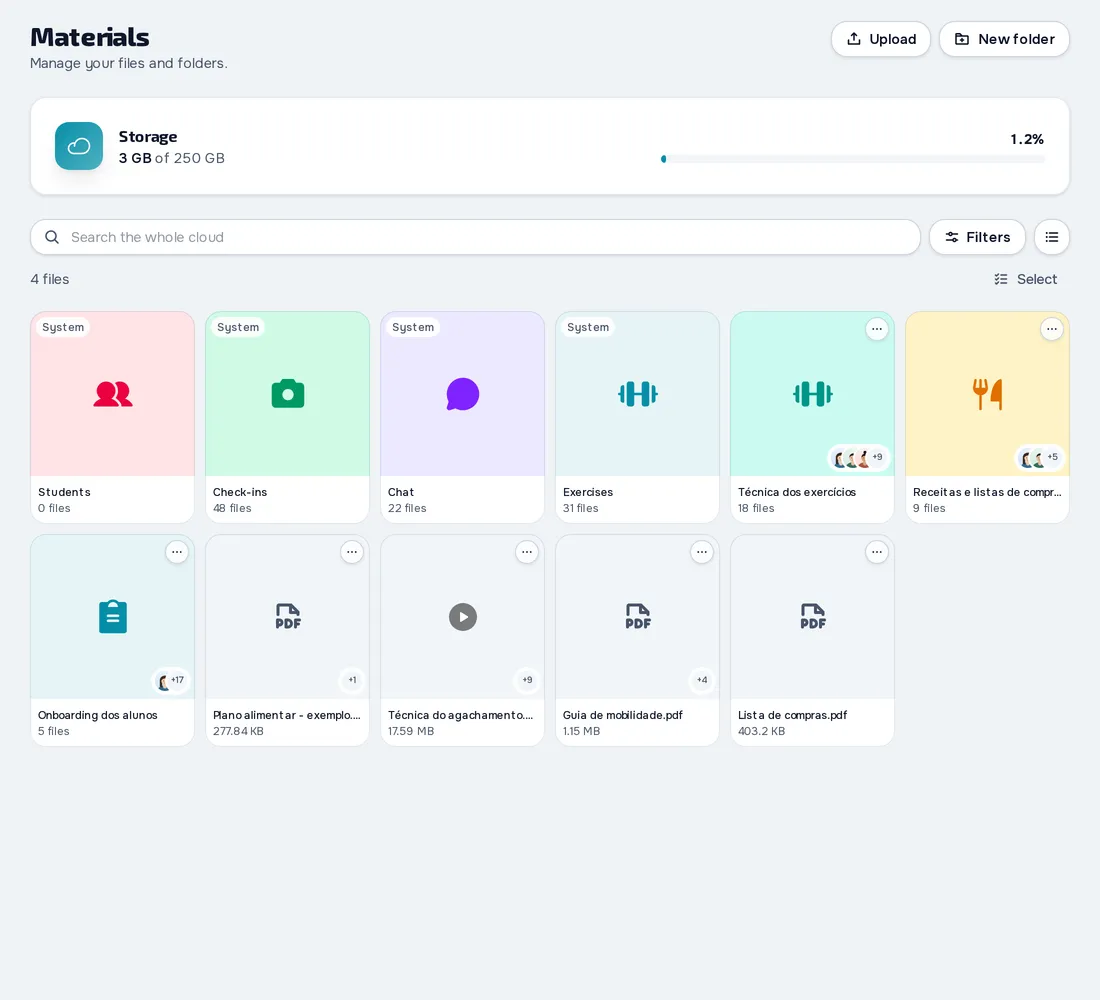
Upload files and whole folders and arrange them in folders and subfolders with a color, icon and cover. Before deleting you see what's affected, and you can undo.
Pages written in the platform
Write documents with headings, lists, tables, images and links, from templates, and the page saves on its own. Export to PDF, HTML or Markdown.
Shared with whoever you choose
Share a folder or file with chosen clients or everyone with a tag, and your client is notified. Each client's profile has their own folder, where you keep what came in through the chat or a workout's PDF.
Everything you can do in Materials
7 features to store files and pages and share them with your clients, in the web dashboard and in the client app, on Basic (10 GB) and Pro (250 GB).
Organize
2 features
Files and folders
Upload files and whole folders and organize everything in folders and subfolders with a color, icon and cover. Mark favorites, move things around and, before deleting, see what's affected and undo if you need to.
For: ProfessionalWhere: DashboardPlan: Basic and Pro
10 GB on Basic and 250 GB on Pro.
Pages written in the platform
Write documents inside Materials, with headings, lists, tables, to-do lists, images, links, code blocks, colors, a cover and an icon, and you can start from a template. The page saves on its own and exports to PDF, HTML or Markdown.
For: ProfessionalWhere: DashboardPlan: Basic and Pro
Share with your clients
3 features
Share folders and files
Share a folder or a file with chosen clients or with everyone who has a tag, and your client is notified. Inside a shared folder, hide the files you don't want to show.
For: ProfessionalWhere: DashboardPlan: Basic and Pro
Each client's folder
In the profile's Materials tab you have the client's own folder, where you create folders, add files and stop sharing.
For: ProfessionalWhere: DashboardPlan: Basic and Pro
Materials in the client app
Your client opens the folders, files and pages you shared with them, with filters, a grid or list view and a notice for what's new.
For: ClientWhere: Client appPlan: Basic and Pro
In the browser, they can also save a page as a PDF. The professional's plan is what counts.
Keep it safe
2 features
Save from the chat and from PDFs
Save a photo, video or file that arrived in the chat to a client's materials, along with the PDF of a workout, a meal plan or an assessment.
For: ProfessionalWhere: DashboardPlan: Basic and Pro
Files kept for 1 year
If you move from a paid plan to Free, your files are kept for 365 days and count again if you return to a paid plan.
For: ProfessionalWhere: Dashboard
When moving from a paid plan to Free.
Frequently asked questions
How much storage do I get?
10 GB on Basic and 250 GB on Pro. The Free plan has no file storage.
Can I add video links to materials?
Not as a separate item. You can put a link inside a written page, and videos are stored as files.
What happens to my files if I move to Free?
They're kept for 1 year and count again if you return to a paid plan.
Does my client see the materials on their phone?
Yes, in the store apps and in the browser, with the folders, files and pages you shared with them.
Can I share the same folder with several clients?
Yes. Pick clients one by one or share with everyone who has a tag, and each one is notified.