
Professionals working with you, each with the access you choose.
Invite other professionals by email or link and decide what each one sees and does, and which clients they work with. The number of members depends on your plan, and for bigger teams there's Business, on request.
- Read only, Assistant, Full access or permissions by area
- Access to all your clients or only the ones you choose
- Tasks with assignees, due date and reminder, plus an activity log
Cancel any time
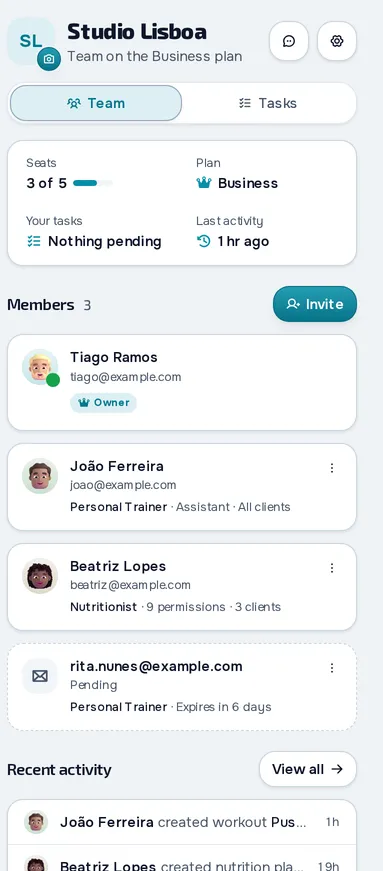
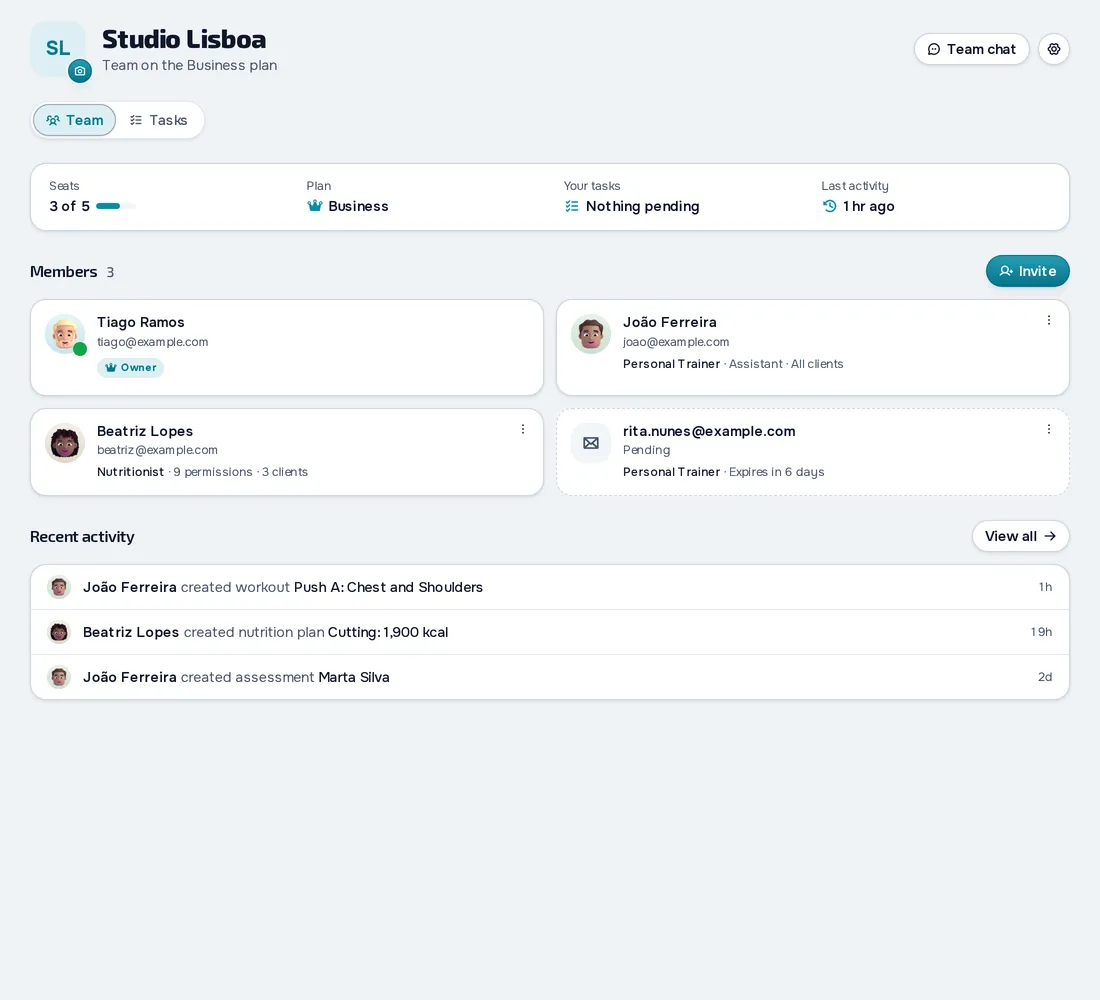
On your computer and on your phone.
Fig. 01 - Team on the computer
Fig. 02 - Team on the phone
Permissions that fit each member
Start from Read only, Assistant or Full access and fine-tune it in Customise by area, one action at a time. Members switch between their Personal workspace and your team, where they only see the areas you give them.
The right clients for each member
Choose whether each member works with all your clients or only the ones you assign. Clients stay yours and their history stays intact. Members get notifications for those clients, and you can stop getting them yourself.
Tasks with assignees and due dates
In the Tasks tab, assign tasks with a priority, due date and reminder, and the member is notified. Drag each one between To do, In Progress and Done. In the team activity, see what each member created or changed and export it as CSV.
Everything you can do in Team
10 features to work with other professionals in the web dashboard, from Basic up.
Create the team and invite
Create the teamPlan: Basic and Pro
Create the team with a name, description and photo, in a shared workspace where the professionals you invite work with your clients.
Invite by email or linkPlan: Basic and Pro
Invite a professional by email or with a single-use link, and resend or cancel the invitation.
Each member's specialityPlan: Basic and Pro
Mark each member as Personal Trainer, Nutritionist, Assistant or Other, and the platform suggests the permissions.
Permissions and clients
Permissions by area and by actionPlan: Basic and Pro
Choose Read only, Assistant or Full access and fine-tune it one action at a time, across 14 areas.
Clients assigned to each memberPlan: Basic and Pro
Each member works with all your clients or only the ones you assign, and then sees only their data.
Notifications for assigned clientsPlan: Basic and Pro
The member gets notifications for the clients you assigned them, and you can stop getting them yourself.
Switch workspace and leavePlan: Basic and Pro
The member switches between their Personal workspace and your team, sees the permissions they have and leaves the team whenever they want.
Working together
Team chat and messages between membersPlan: Basic and Pro
The team has a group chat and you talk one to one with each member, in the same chat as your clients.
TasksPlan: Basic and Pro
Create tasks with assignees, linked clients, a priority, a due date and a reminder, and the assignee is notified.
Activity logPlan: Basic and Pro
See what each member created or changed, from clients and workouts to assessments and tasks.
Frequently asked questions
How many members can I have on the team?
It depends on the plan: 1 on Basic and 3 on Pro. The Free plan has no team, and for bigger teams there's the Business plan, on request.
Do the clients stay mine if a member leaves?
Yes. The clients and their history belong to your workspace, and the member only works with them while they're on the team.
Can I limit what a nutritionist sees?
Yes. Give them access only to the areas you want, for example nutrition, supplements and chat, and only to the clients you assign them.
Do members manage payments and branding?
In payments, only what their permissions allow: viewing, marking as paid and giving catalogue plans. Creating plans, changing prices, branding and courses stay with the owner.
Do team members use the phone app?
No. The iPhone and Android apps are for clients only. The team works in the web dashboard, in the browser.