
Each client's progress, one check-in at a time.
On Basic and Pro, the check-in is a questionnaire you set up: weight, photos, measurements and your own questions. On the Free plan, your client uses the default check-in. Every answer is saved to your client's Progress, with charts to compare.
- A check-in built your way: weight, photos, measurements and questions
- Reminders at your client's local time, as often as you choose on Basic and Pro
- Photos by pose, side by side or with a slider
Cancel any time
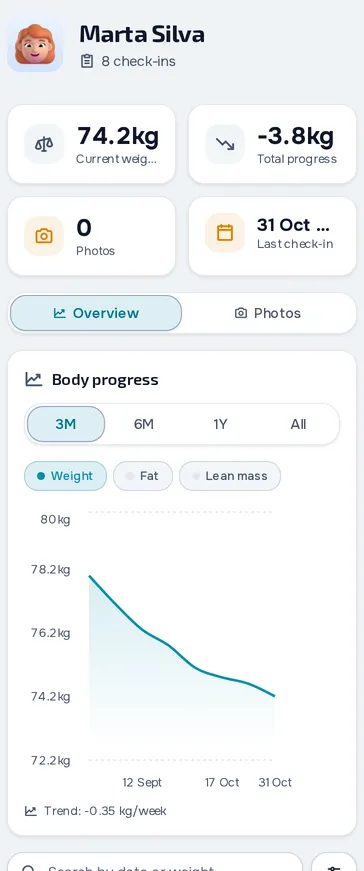
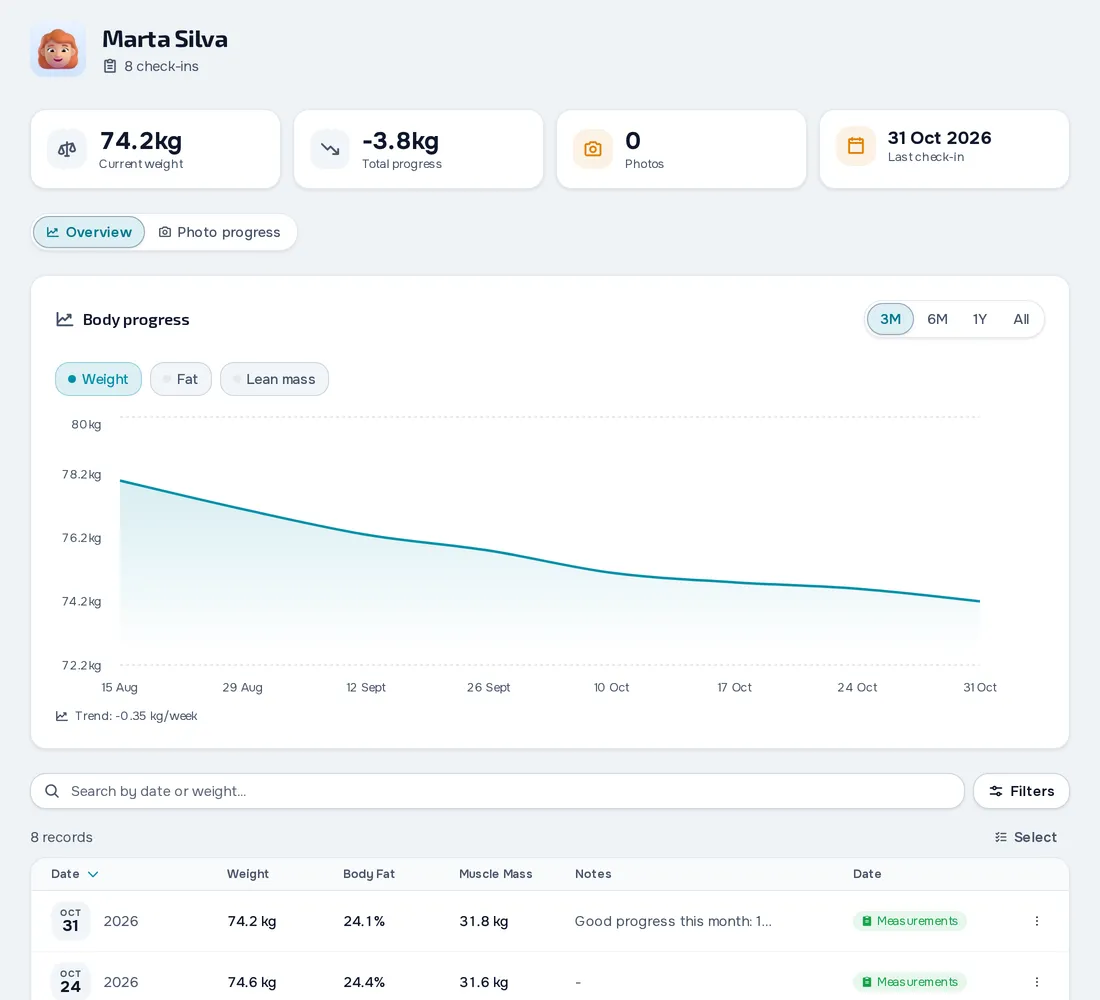
On your computer and on your phone.
Fig. 01 - Progress on the computer
Fig. 02 - Progress on the phone
The check-in you set up
On Basic and Pro, choose the questions and where each answer goes: weight, body fat, circumferences, notes or photos. Set how often it's asked, the time and the reminder text, for all your clients or just some.
Your client checks in from the app
The reminder goes out at the hour you picked, in your client's local time, and is skipped if they already checked in for that period. In the app, your client answers, uploads photos from Basic up and sees their weight, body fat and lean mass on a chart.
Follow up and reply
On the Progress page you see who needs attention, the charts and the photos by pose. Compare two dates side by side and download the image, with your logo if you have one. On Basic and Pro, in To review, mark the answer as reviewed and leave your client a note.
Everything you can do in Progress
15 features, in the web dashboard and in the client app for iPhone, Android and the browser.
The check-in
A ready-made check-in on every account
Every account comes with a daily weight check-in, at 19:00, which clients complete on any plan, with progress photos from Basic up.
The questions and where they goPlan: Basic and Pro
Choose the check-in questions and save each answer to a progress measurement, from weight to photos.
Frequency, time and reminder textPlan: Basic and Pro
Ask for the check-in every day, every week, every two weeks, every month or every so many days.
Who does each check-inPlan: Basic and Pro
A check-in can be for every client or just some, and a client can have a check-in of their own.
Your client in the app
Complete the check-in
Your client taps Complete check-in and answers the questions, with photos if you're on Basic or Pro, and the home page shows how many days in a row they've done it.
Automatic reminder
Your client gets a notification at the set time, in their time zone, only if they haven't checked in yet.
Check-in days on the calendar
Check-in days show on the client's calendar and profile, and are marked as done when they check in.
See progress and compare photos
Your client sees their weight, body fat and lean mass on a chart, the change in composition and measurements, and photos by pose.
Follow up
Every client's progress
See each client with their last check-in, weight and change over 30 days, 90 days or all time, the trend and the number of check-ins.
A client's charts
See weight, body fat and lean mass on one chart, over the period you choose, with the weekly trend.
Check-in and assessment records
The same page has the client's list of check-ins and assessments.
Compare photos and download the image
On Basic or Pro, filter photos by front, side and back, pick two and compare them side by side, with zoom and drag on each one.
Log a check-in for your client
Log a check-in on your client's behalf, in a window with the same measurements their check-in asks for.
New check-in notice and answers
When a client checks in, you and the team members with access get a notification that opens that check-in.
The latest weight goes to the profile
A new check-in or assessment updates the weight and height in the client's profile, and nutrition uses that weight.
Frequently asked questions
Can I change the check-in questions on the Free plan?
No. On the Free plan clients do the ready-made check-in, with their weight every day at 19:00, and you see the weight in Progress. Changing the questions, the frequency and the reminder text needs Basic or Pro.
Can clients send progress photos?
Yes, from Basic up. Photos count towards the professional's storage, and the Free plan has no file storage.
Which frequencies can I choose?
Every day, every week on a set day, every two weeks, every month on a set day, every N days since the last check-in, or never. The time is each client's local time.
How do I know which clients need attention?
In Progress you filter clients with no check-in or with the last one more than 21 days ago, and see each one's weight trend.
Can I download a photo comparison?
Yes. Pick two photos and download the side-by-side image, with your logo if you have one.
Does weight come in automatically from Apple Health?
No. Your client types their weight in the check-in, or you log the check-in for them.