
Habits your client keeps and you follow.
Create habits with a goal, frequency and reminder, and assign each one to your client. They tick off what they did in the app, and you follow every day in a monthly calendar. Habits are on every plan, including Free.
- Daily, specific days, X per week or a weekly total
- Reminders at the time you choose, which don't go out if the habit is already done
- Monthly completion and current streak in your client's history
Cancel any time
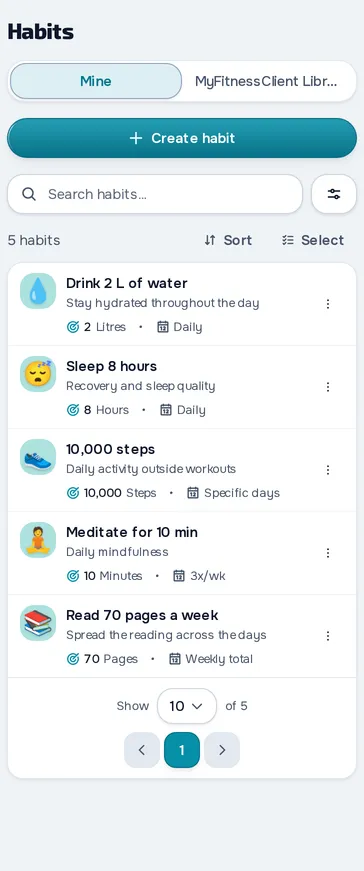
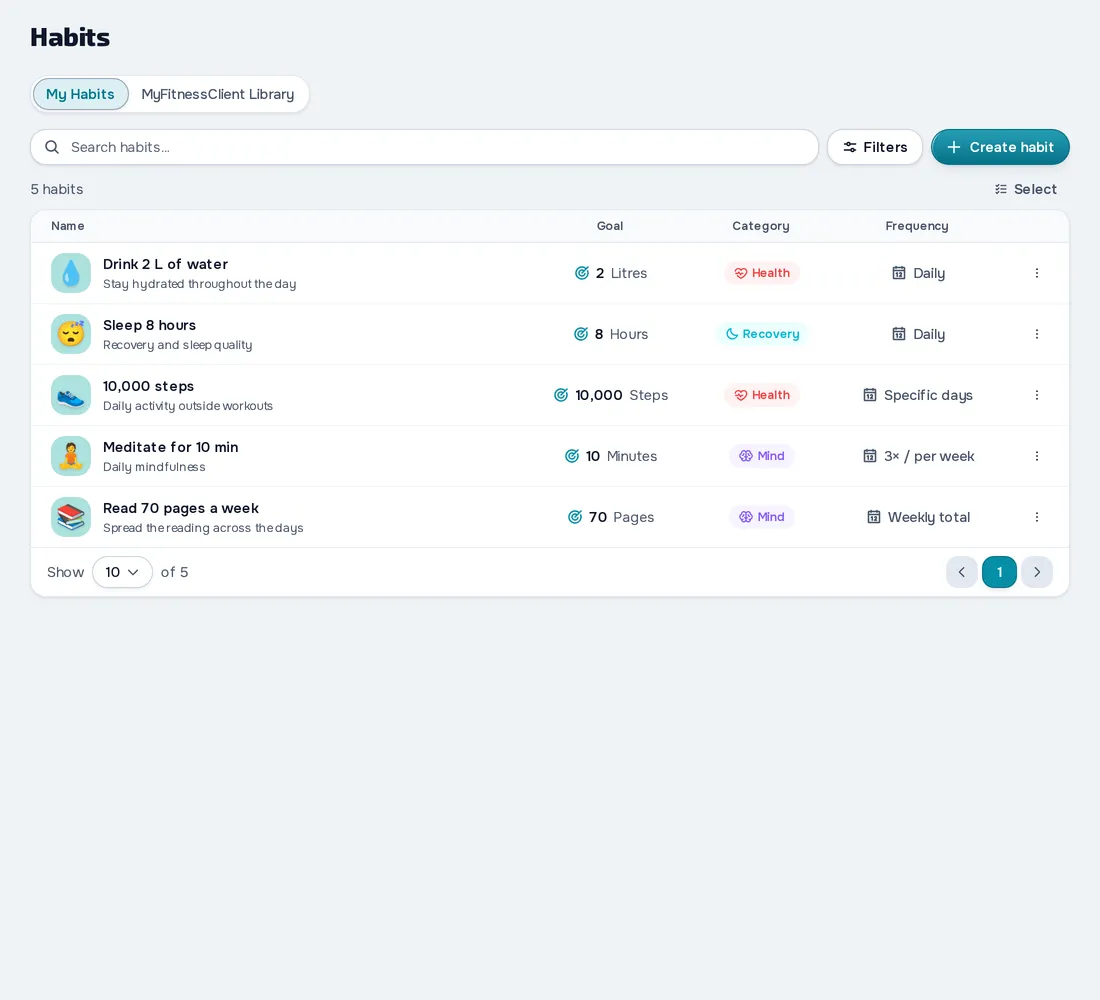
On your computer and on your phone.
Fig. 01 - Habits on the computer
Fig. 02 - Habits on the phone
From the library to your client
Save habits in My Habits or start from the MyFitnessClient Library. When you assign one, pick the template, adjust the goal and set the start date and, if you want, the end date.
Your client logs it in the app
In the app, your client ticks off each of today's habits with one tap or logs the value and a note. They can also create their own, which you see in their profile as Created by the client.
Your client's month in a calendar
The Habits tab in the profile shows which days were completed, each day's details and a summary by habit. On the habits you assign, you can also log for them and fix a past day with Edit this day.
Everything you can do in Habits
11 features, on every plan, in the web dashboard and in the client app for iPhone, Android and the browser.
Creating habits
Your templates
Create habits with an icon, category, goal, frequency and reminder, and keep them all in My habits.
MyFitnessClient Library
Start from a ready-made habit in the MyFitnessClient Library and copy it to yours.
Goal and frequency
The goal is yes or no, or an amount in litres, steps, minutes, pages, reps or another unit.
Assigning
Assign to many clients
Assign one or more templates to several clients at once, with start and end dates.
A habit just for one client
In a client's profile you create a habit just for them and adjust the goal to suit them.
Your client in the app
Log today and the 7 days before
Your client ticks off each of today's habits with one tap, or logs the value and a note, also from the card on the home page.
Reminder at the chosen time
With the reminder on, your client gets a notification at the chosen time, in their time zone, with your message.
Today's habits notice
Habits without their own reminder come together in one notice, in the morning, shortly after your client wakes up.
Habits created by the client
Your client creates up to 50 habits of their own, with a reminder if they like, and edits, pauses, resumes or deletes them next to yours.
Follow up
Your client's month in a calendar
In the profile's Habits tab you see the month in a calendar, each day's details and how each habit is going.
Log and correct for your client
On the habits you assigned, you log for your client and fix a past day with Edit this day.
Frequently asked questions
Are habits on the Free plan?
Yes, on every plan.
Can my client log a day they forgot?
They log today and the 7 days before it, in the browser and in the latest version of the app. You fix a past day in their profile, with Edit this day.
Can I track water, steps or sleep?
Yes, with a habit in litres, steps, minutes or another unit, and a daily or weekly goal. There's no connection to Apple Health or Google Fit, so your client logs by hand.
Can my client create their own habits?
Yes, up to 50, with a reminder. You see those habits in their profile, but you don't edit them.
Does the reminder arrive even if my client has already done the habit?
No. The reminder doesn't go out if the habit is already done that day or the week's goal has already been reached.