
All your appointments in one calendar.
Book workouts, assessments and consultations for one client or many, and see everything by day, week, month or year. Your client gets a notification and sees each appointment in the app's calendar.
- Colour-coded event types, including your own
- Daily, weekly, monthly or yearly repeats
- Push or email reminders for you, and events sent to Google Calendar
Cancel any time
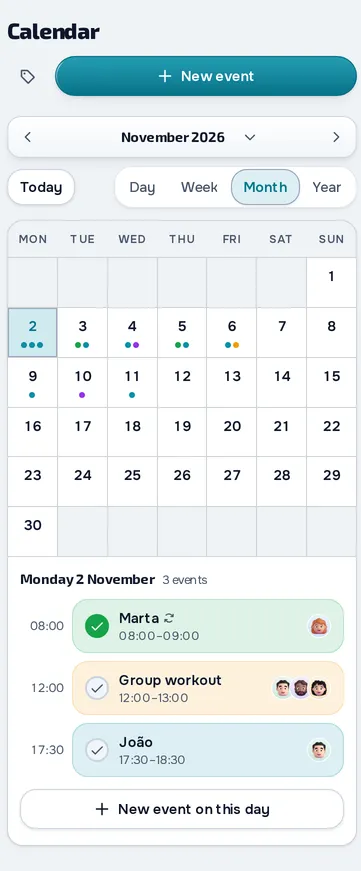
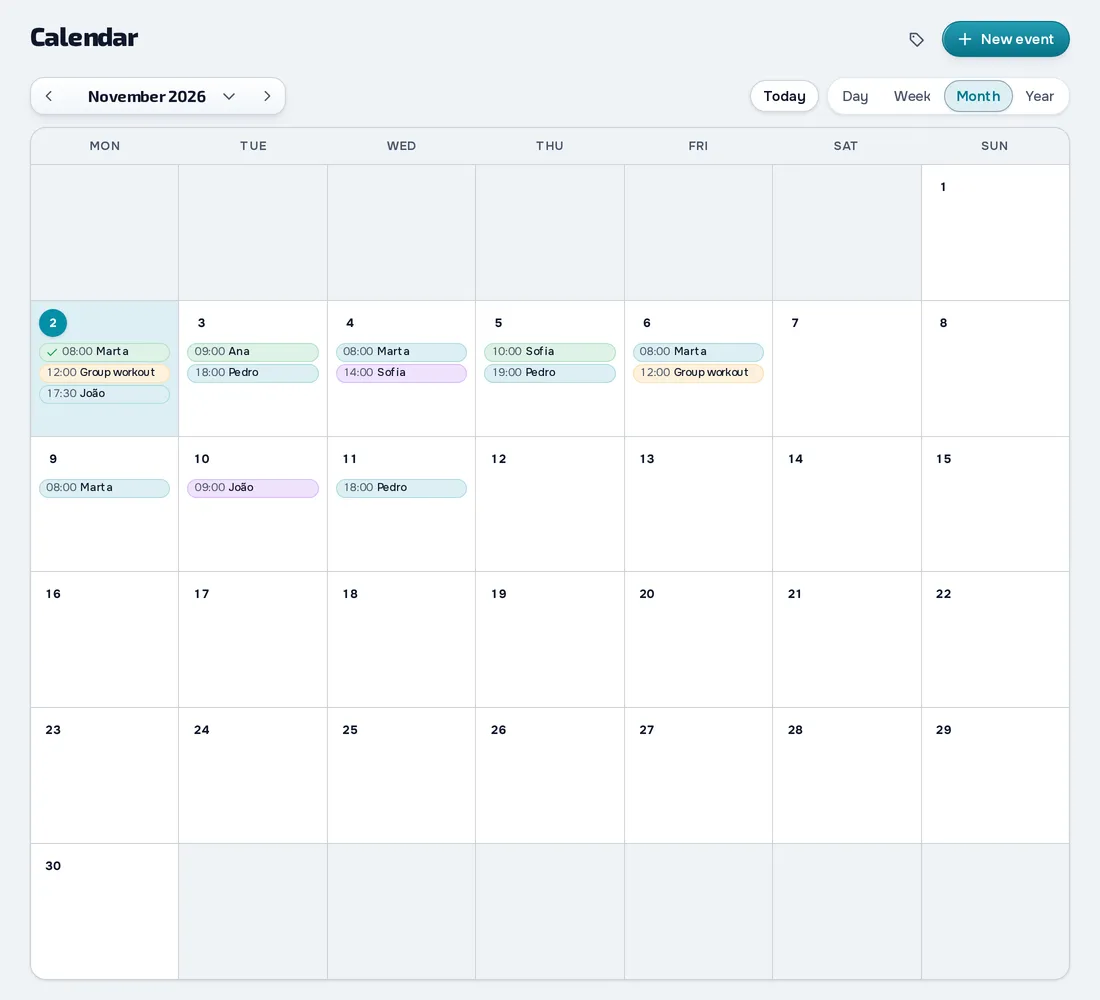
On your computer and on your phone.
Fig. 01 - Schedule on the computer
Fig. 02 - Schedule on the phone
Repeat without booking again
Turn on Repeat and choose how often, which days and when it ends. When you edit or delete an event in the series, you decide whether it applies to that one, the future ones or all of them.
Your client knows when they're booked
When you book, your client gets a notification and sees the event in the app's calendar, next to their plan workouts. If they connect their own Google Calendar, the appointments show up there too.
From appointment to assessment
On an assessment booked with one client, Create assessment takes you straight to the form. Once you save it, the event is marked Completed, and you can also mark it Completed yourself from the event's day.
Everything you can do in Schedule
14 features to book sessions and keep your clients informed, in the web dashboard and in the client app, on every plan.
Your calendar
Day, week, month and year
See your schedule by Day, Week, Month or Year, and the last view you chose opens the same way on another device.
Events with one or more clients
Create an event with a title, type, date and time, location and notes, and link one or more clients.
Colour-coded event types
Use the Workout, Assessment, Consultation and Other types, and create your own with a name and a colour.
Repeating events
Repeat an event every X days, weeks (on the days you pick), months or years, with no end, for N occurrences or until a date.
Drag and right-click
Drag an event to another day or time and, in a series, choose whether only that day or all of them change.
Each client's calendar
The client's profile has a calendar of their own, with your bookings, the programme workouts and completed workouts.
Reminders and notices
Reminders for you
Add one or more reminders to each event, from minutes to days before, by email, push or both.
Notices to your client
When you book, change or cancel a client's event, they're notified, and they get a push reminder before it.
From booking to work done
A booked assessment that completes itself
When a booked assessment is saved, by you or your client, the event turns Completed and is linked to it.
A booked workout that completes itself
A workout booked with one client turns Completed when you log their in-person session that day.
Your client's calendar
Client calendar
Your client sees your bookings with them, the plan workouts and their check-in days in one calendar, but not your schedule.
Your client's personal events
Your client creates their own events, such as the dentist or a trip, with a time, location, colour and a push reminder.
Google Calendar
Send bookings to Google
You and your client connect a Google account, and bookings go to a MyFitnessClient calendar in Google.
What goes to Google
From your side your bookings are sent, and from your client's side their bookings and personal events, without the plan workouts.
Frequently asked questions
Can my client book sessions with me?
No. You make the bookings. Your client sees theirs in the app's calendar, gets the notices and can create personal events of their own.
Can I set available hours or cancellation rules?
No. The schedule has no availability hours or cancellation rules. You book, change and cancel, and your client is notified of every change.
Do my clients see my schedule?
No. Each client only sees the bookings they're in, their plan workouts and the events they created themselves.
Does it sync with Google Calendar?
It sends to Google: your bookings show in a MyFitnessClient calendar in your Google account, and your client's in theirs. It doesn't import events from Google.
Do I get reminders for my events?
Yes. Add the reminders you want to each event, from at the time up to 2 days before, by email, push or both.
Which plan includes the schedule?
Every plan, including Free.